Configure Unified Navigation Fluid Navigation Collection
The Configure Unified Navigation navigation collection provides links to the steps that need to be completed to configure the systems in your cluster for unified navigation.
To access the Configure Unified Navigation navigation collection, select . Alternatively, add the Configure Unified Navigation tile to your homepage.
This example illustrates the Configure Unified Navigation navigation collection prior to completing configuration of unified navigation.
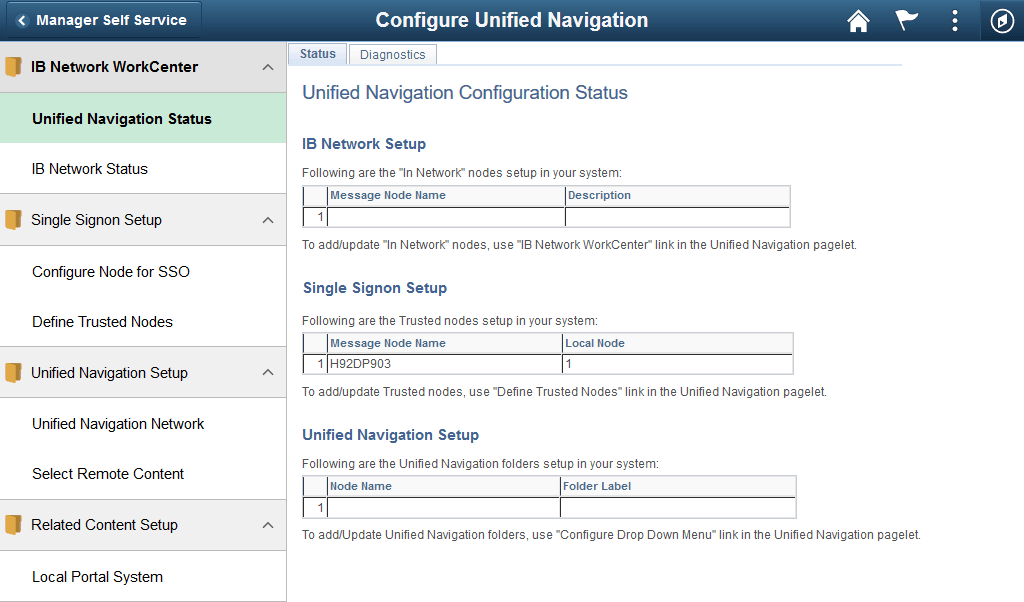
When you click links in the Configure Unified Navigation navigation collection, transaction pages are displayed from the system on which you are configuring unified navigation. The Configure Unified Navigation navigation collection presents the tasks that you need to complete. The following procedure rearranges the tasks into a more logical order than is presented in the Configure Unified Navigation navigation collection.
Configuration of unified navigation consists of seven tasks, which are documented in these topics:
-
Complete prerequisite configuration steps (all systems).
-
Configure node definitions for all participating nodes (all systems).
-
Configure a shared integration gateway:
-
Create the shared gateway definition (portal system only).
-
Point to the shared gateway (content provider systems).
-
-
Add remote nodes to the integration network (portal system only).
-
Activate each Integration Broker domain (all systems).
-
Set up and test single signon:
-
Configure single signon (all systems).
-
Test single signon and the unified navigation node network (portal system only).
-
-
Complete unified navigation:
-
Add remote folders to the main menu (portal system only).
See Configuring Remote Content and Completing Configuration of Remote Content.
-
(Optional) Import pagelets (portal system systems).
-
-
(Optional) configure related content to take advantage of remote content and remote services. Related content can be configured from the Configure Unified Navigation navigation collection
You can create and assign related content for the portal system and for content provider systems.
See Creating and Assigning Related Content Within the Unified Navigation Framework.