Assigning Related Actions to Classic Pages, Fluid Pages, and Pivot Grids
To assign related actions to classic pages, fluid pages, or pivot grids:
-
Access one of the following pages:
-
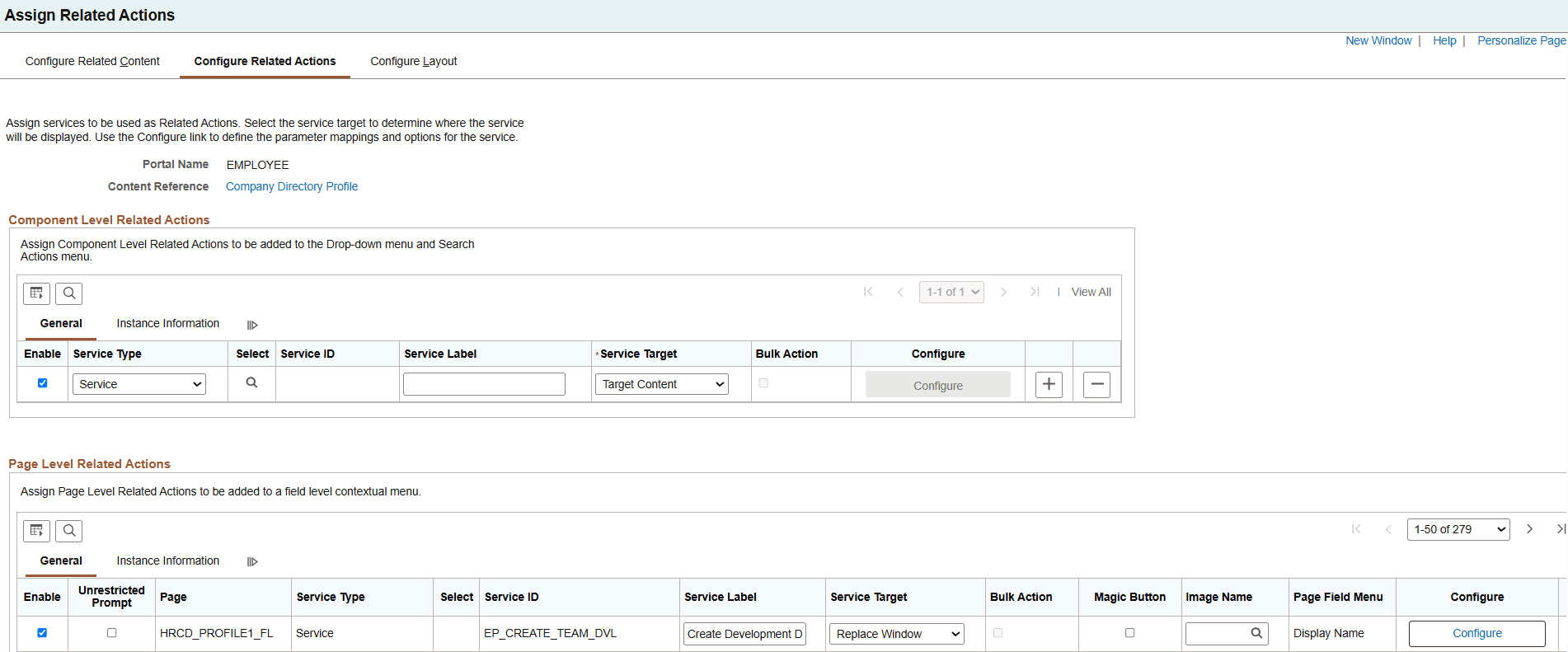
Configure Related Actions page (for content references, select the Configure Related Actions page tab on the Configure Related Content page).
This example illustrates the fields and controls on the Configure Related Actions page for a classic content reference.
-
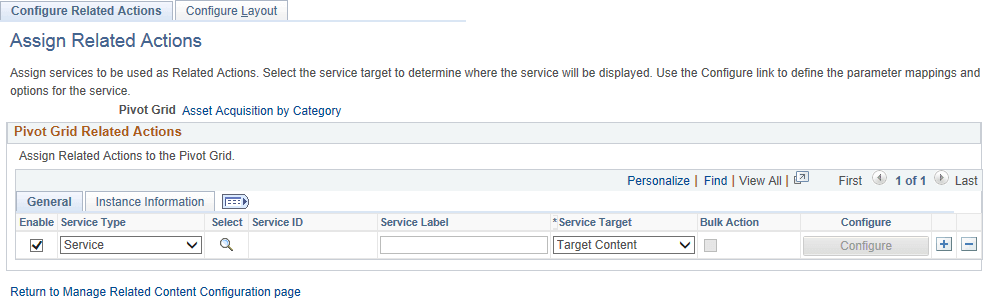
Configure Related Actions page (for pivot grids, click an Edit button on the Manage Related Actions for Pivot Grids page or select a pivot grid on the Look Up Pivot Grid page).
This example illustrates the fields and controls on the Configure Related Actions page for a pivot grid.
-
-
Determine the type of assignment to be made:
-
For classic and fluid pages, related action assignments can be made at the component and the page level.
-
For pivot grids, related action assignments can be made at the pivot grid level only.
See Component Level Versus Page Level Assignment for more information.
-
-
Select the service type:
-
If you select Content Reference, click the Select button and select the content reference to use as an anonymous service on the Select a Content Reference page.
Select the local node or a remote node to select a local or remote content reference.
-
If you select Pagelet, click the Select button and select the pagelet from the Pagelet Search page to use as an anonymous service.
See Searching for and Importing Pagelets and Tiles or more information on searching for pagelets on local and remote nodes.
-
If you select Service, click the Select button and select the explicitly defined service on the Look Up Service ID page.
-
-
Click the Configure button to configure the service parameters, filters, and security. See Configuring Service Parameters, Filters, and Security.
Related Topics