Defining Footers
Access the Define Footer page. (Select .)
This example illustrates the fields and controls on the Define Footers - Define Footer page. You can find definitions for the fields and controls later on this page.
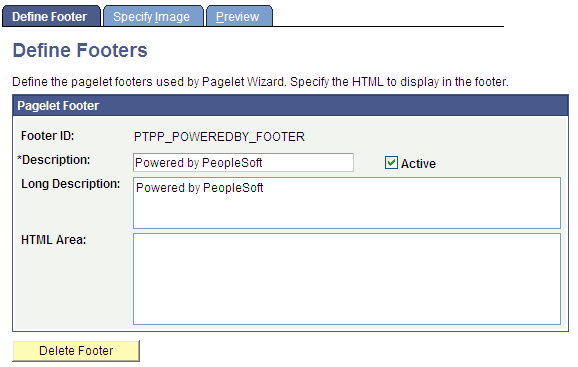
Pagelet Footer
| Field or Control | Description |
|---|---|
|
Footer ID |
Enter an ID for the pagelet footer. |
|
Description |
Enter a description of the pagelet footer. The text that you enter here appears as the selectable value in the Footer field when users assign footers to pagelets on the Specify Display Options page. |
|
Active |
Select to activate the pagelet footer and make it a selectable value in the Footer field on the Specify Display Options page. If you deactivate a footer that is in use, the footer no longer appears on associated pagelets. In addition, the footer is not available for selection on the Specify Display Options page. |
|
Long Description |
For reference purposes only, enter a long description of the pagelet footer. |
|
HTML Area |
Enter the HTML code that you want to use to generate the pagelet footer. You can enter both HTML text and image references. Alternatively, you can include an image by selecting it on the Specify Image page. |
|
Delete Footer |
Click to delete the pagelet footer design. You will be prompted to confirm your deletion. |