Editing a Link
Access the Edit Link page. (Click the Edit Link button on the Maintain Collection page.)
This example illustrates the fields and controls on the Edit Link page. You can find definitions for the fields and controls later on this page.
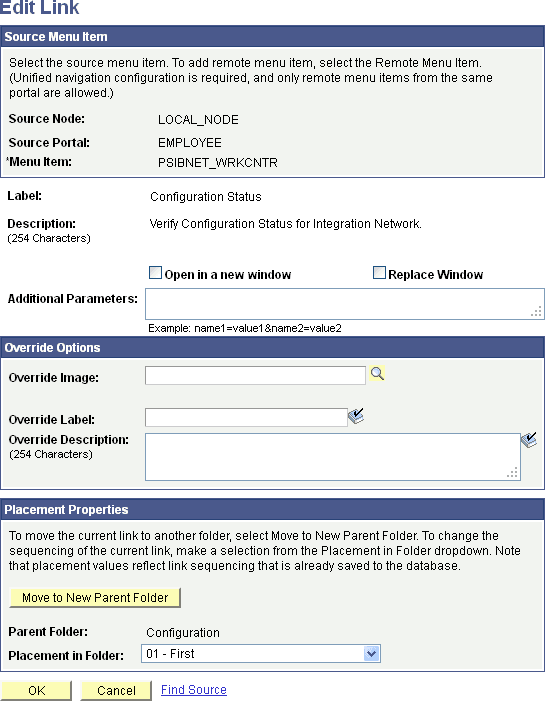
With the exception of the Placement Properties group box, which is discussed subsequently, all other options on this page are available on and documented as a part of the Add Link page.
See Adding a Link.
Placement Properties
| Field or Control | Description |
|---|---|
|
Move to New Parent Folder |
Click to move the content reference that you are editing to a folder other than the folder designated in the Parent Folder field. |
|
Parent Folder |
Displays the parent folder of the content reference that you are editing. |
|
Placement in Folder |
Select a value to change the placement of the content reference within its selected navigation collection folder. Available placement values reflect saved content reference sequencing. |