Generating Export and Import Scripts for Pagelet Wizard Pagelets
This section provides an overview of export and import scripts for Pagelet Wizard pagelets and discusses how to:
-
Generate export and import pagelet scripts.
-
Generate export and import scripts for Pagelet Wizard setup data.
Understanding Export and Import Scripts for Pagelet Wizard Pagelets
You can use these export and import scripts to copy Pagelet Wizard pagelet definitions from one database to another.
When you export or import a pagelet, the imported pagelet is not automatically published. You must access the pagelet definition in Pagelet Wizard in the target portal in the target database and publish the pagelet on the Specify Publishing Options page in Step 6.
Alternatively, you can run the generated export and import Data Mover scripts (.DMS scripts) and copy the pagelet content reference by placing it into a PeopleSoft Application Designer project.
Note:
These export and import scripts do not include the ability to export or import Pagelet Wizard setup data associated with the pagelet definitions being exported or imported.
Generating Export and Import Pagelet Scripts
Access the Export/Import Pagelets page. (Select .)
This example illustrates the fields and controls on the Export/Import Pagelets page. You can find definitions for the fields and controls later on this page.
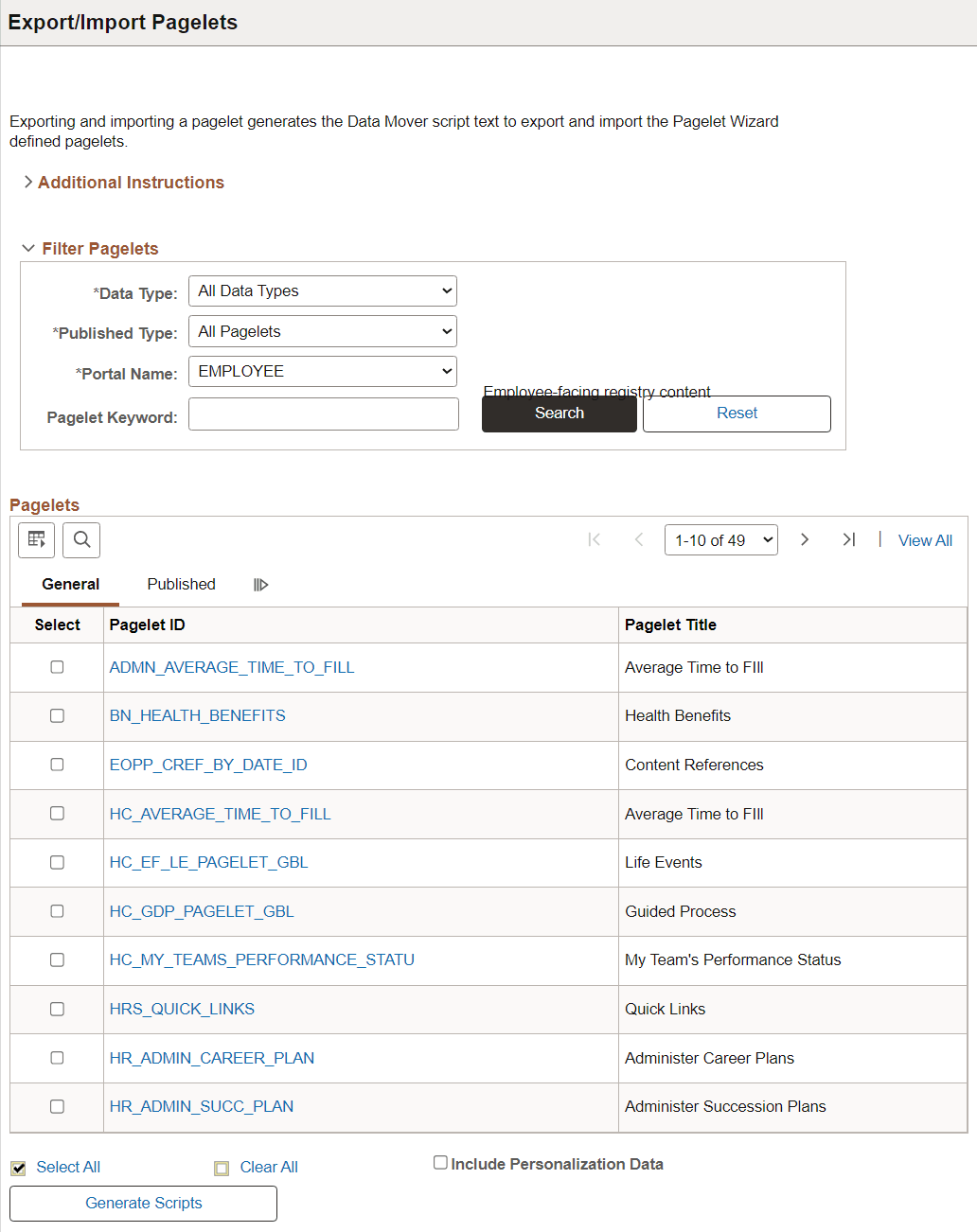
| Field or Control | Description |
|---|---|
|
Select |
Select the pagelets for which you want to generate export and import scripts. |
|
Include Personalize Data |
Select to include any end-user personalizations defined for the selected pagelets in the export and import. |
|
Generate Scripts |
Click to generate export and import scripts for the selected pagelets. The scripts appear on the Data Mover Scripts page. Copy the generated scripts into PeopleSoft Data Mover to export the selected pagelet definitions from a source database and import them into a target database. See Lifecycle Management Guide: Understanding PeopleSoft Data Mover. |
Note:
Other Pagelet Wizard-related Data Mover scripts are delivered with PeopleSoft Enterprise Components for users who need more customizable scripting for pagelet migration between databases. You can find these scripts delivered in the PS_HOME scripts directory.
Generating Export and Import Scripts for Pagelet Wizard Setup Data
PeopleTools Portal Technologies delivers the following Data Mover scripts to export and import Pagelet Wizard setup data:
-
EOPPB_SETUP_DEFN_IMP.DMS
-
EOPPB_SETUP_DEFN_EXP.DMS
Use these scripts to copy the following types of Pagelet Wizard setup data from one database to another, for example, from a development database to a production database:
-
Footers.
-
Headers.
-
Categories.
-
XSL prototype templates.
You can find these scripts delivered in the PS_HOME scripts directory.