Managing Related Actions for Pivot Grids
Use the Manage Related Actions for Pivot Grids to manage related action configurations for pivot grids.
Navigation:
-
-
Select the Pivot Grids tab.
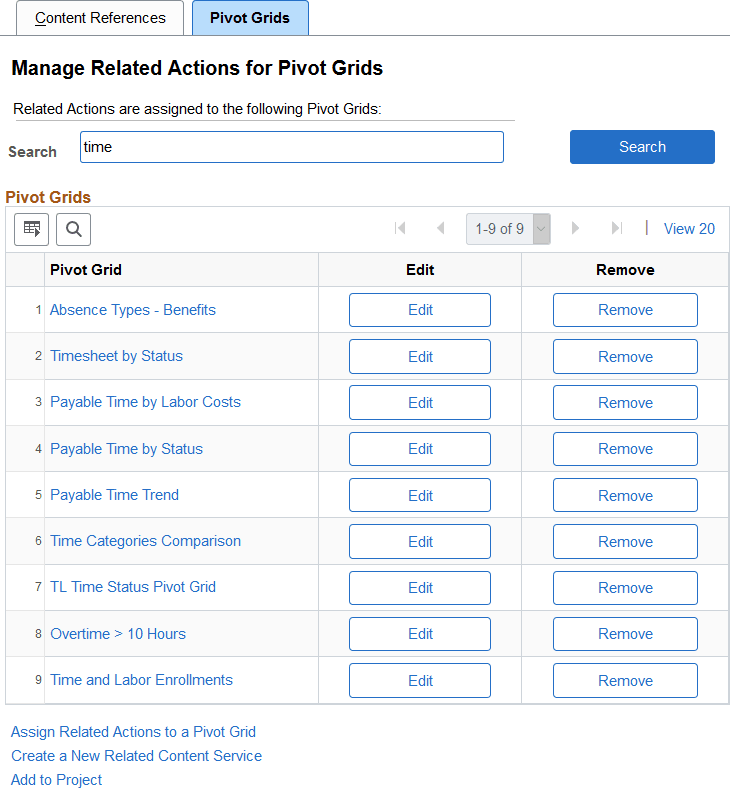
This example illustrates the fields and controls on the Manage Related Actions for Pivot Grids page. You can find definitions for the fields and controls later on this page.
| Field or Control | Description |
|---|---|
|
Search |
Enter a search term or phrase and click the Search button to filter the list of pivot grids using the search terms. Search terms are case insensitive and results are returned for partial word matches. For example, both gri and pv_gr will match the Sales Grid (PV_GRID) pivot grid. When you click the Search button, a database search is performed on the following values:
|
|
Pivot Grid |
Click a pivot grid link to open this pivot grid in the Pivot Grid Viewer, which allows you to test any configured related actions. |
|
Edit |
Click an Edit button to edit an existing related actions configuration. See Assigning Related Actions to Classic Pages, Fluid Pages, and Pivot Grids. |
|
Remove |
Click a Remove button to remove an existing related actions configuration. |
|
Assign Related Actions to a Pivot Grid |
Click this link to select a pivot grid for a new related actions assignment. |
|
Create a New Related Content Service |
Click the link to access the Define Related Content Service page. See Creating and Managing Related Content Service Definitions. |
|
Add to Project |
Click the Add to Project link to access the Add To Project page to insert this related content service definition into an ADS project. See Lifecycle Management Guide: Adding Data Set Instances from Object Designer Pages for more information. |
Selecting a Pivot Grid for a New Configuration
To select a pivot grid for a new related actions assignment:
-
Click the Assign Related Actions to a Pivot Grid link on the Manage Related Actions for Pivot Grids page.
-
On the Add a New Value tab, click the Look up Pivot Grid button.
-
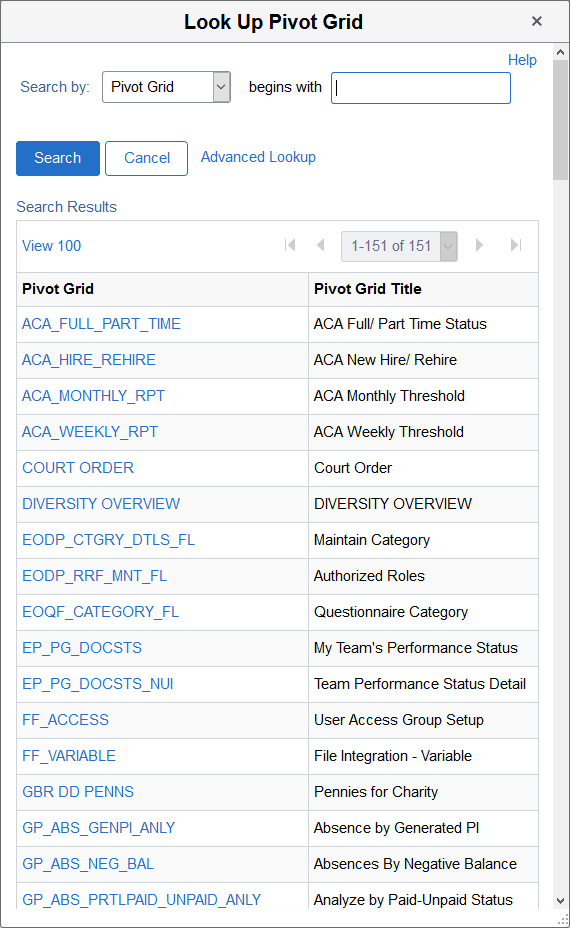
Select a pivot grid on the Look Up Pivot Grid page:
Search and select a pivot grid:
-
Click the Add button to begin assigning and configuring related actions to the selected pivot grid.
-
See Assigning Related Actions to Classic Pages, Fluid Pages, and Pivot Grids.