Reviewing Usage Statistics
The Activity Guide framework enables you to compute the elapsed duration of a step or instance in the guided process.
The Advanced Options page and the Usage Statistics tab provide the required information, which are described in this topic.
Advanced Options Page
Use the Advanced Options tab to view the Estimate Duration and Elapsed Duration values, which are populated by the Activity Guide framework.
and on the Manage Activity Guide Instances, select the Properties link of the activity guide.
This example illustrates the fields and controls on the Advanced Options tab. You can find definitions for the fields and controls later on this page.
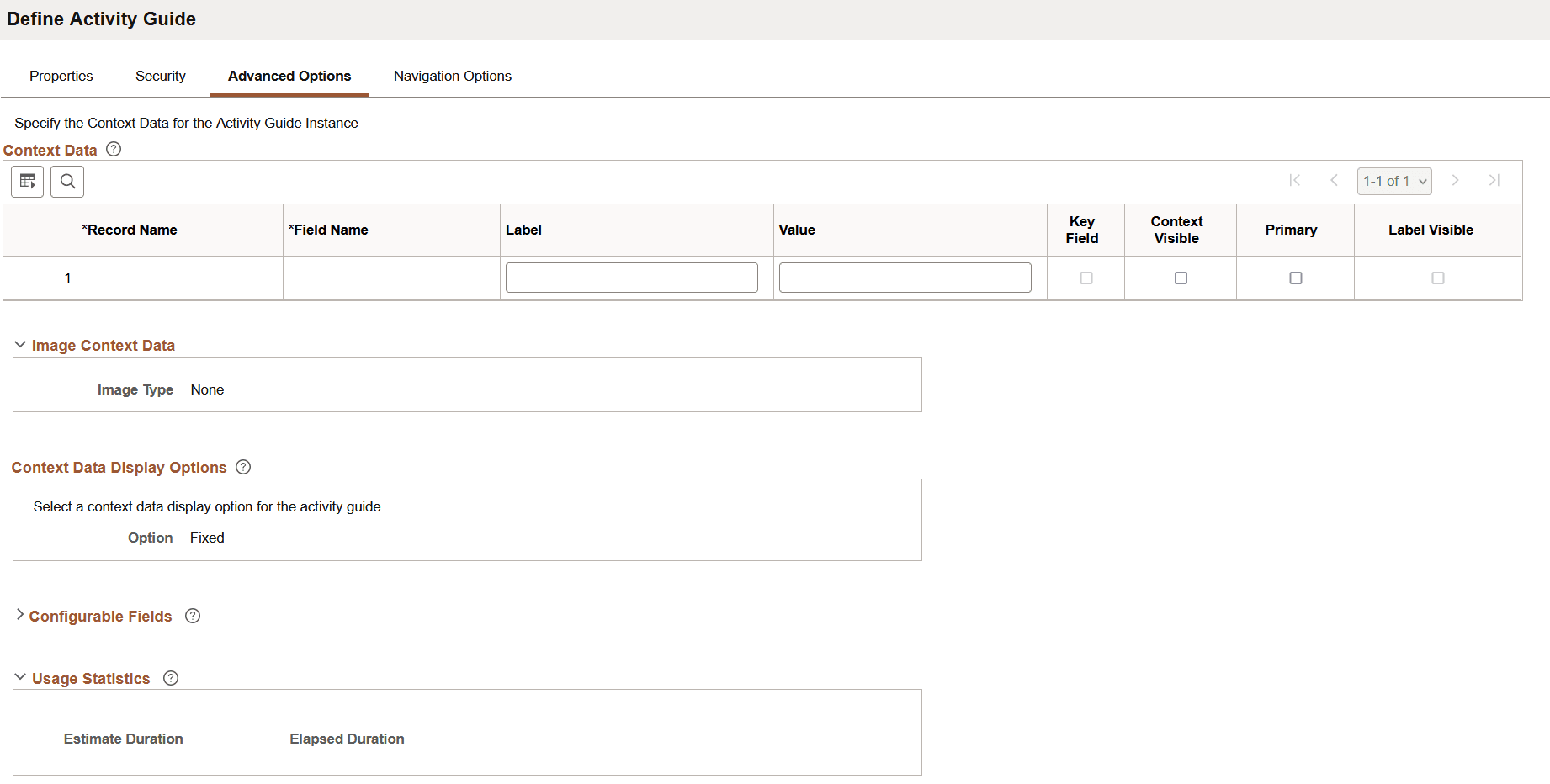
This section attempts to describe the Usage Statistics group box. All other fields on the page are similar to the Template Properties: Advanced Options page.
| Field or Control | Description |
|---|---|
|
Estimate Duration |
It denotes the approximate duration required to complete an instance. The value entered in the Estimate Duration field on the template is copied to this field. |
|
Elapsed Duration |
Elapsed Duration is the time (in days) elapsed between the start and completion of the instance. The value is computed by the framework when the end date value is set at completion of the instance. |
Usage Statistics Tab
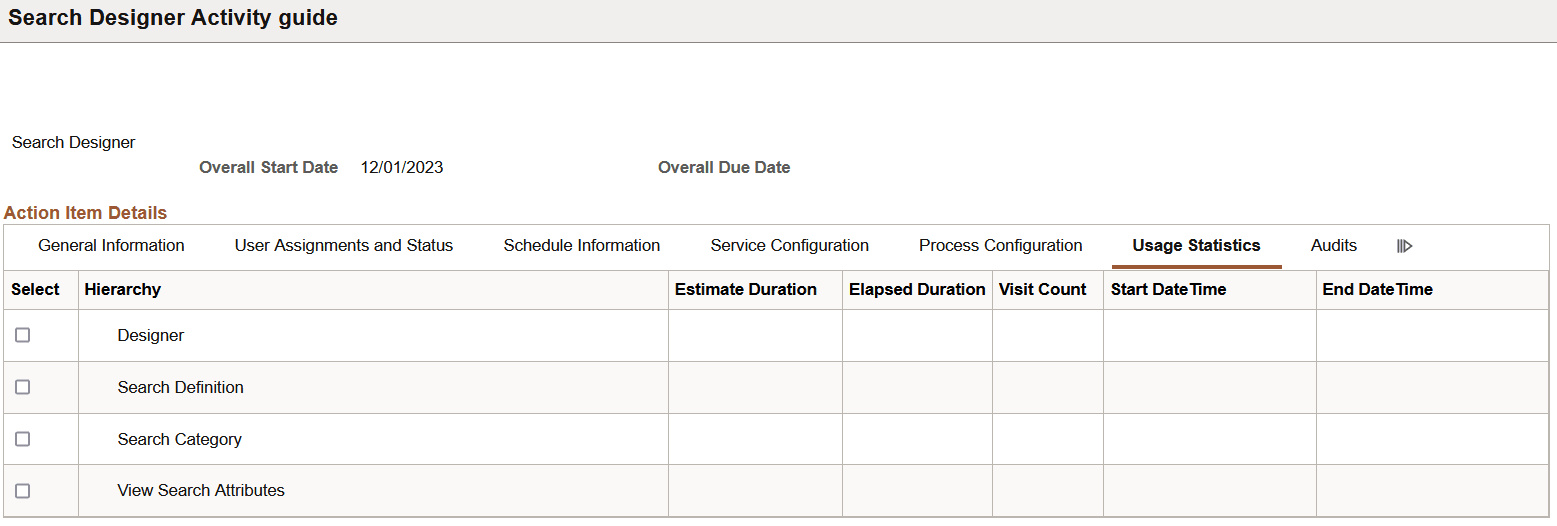
The Usage Statistics tab displays information that is computed by the framework.
Navigation:
and on the Manage Activity Guide Instances, select the activity guide.
This example illustrates the fields and controls on the Usage Statistics tab. You can find definitions for the fields and controls later on this page.
| Field or Control | Description |
|---|---|
|
Estimate Duration |
It denotes the approximate duration required to complete a step. The value is populated by the framework. |
|
Elapsed Duration |
Elapsed Duration is the time (in days) elapsed between the start and completion of the step. The value is computed by the framework when the end date value is set at completion of the step. |
|
Visit Count |
The activity guide framework computes this value based on the number of times a user visits a step. |
|
Start Date Time |
The activity guide framework sets the start date/time for the step when a user first lands on the step. |
|
End Date Time |
It denotes the date/time on which the step was set to completed. |
The Estimate Duration, Elapsed Duration, Visit Count, Start Date Time, and End Date Time fields can be selected for indexing when you define an Activity Guide type search definition.
For more information, see Defining Advanced Options and Defining Action Item Details.