Selecting a Local Link
Access the Select Source Link page. (Click the Browse Portal Registry button on the Add Link page.)
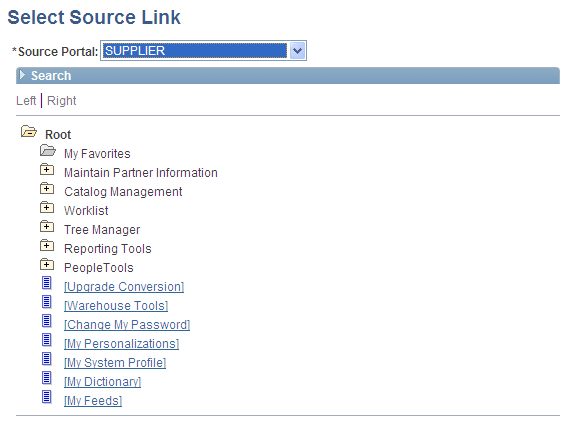
This example illustrates the fields and controls on the Select Source Link page. You can find definitions for the fields and controls later on this page.
| Field or Control | Description |
|---|---|
|
Source Portal |
Select the portal registry from which you want to select a content reference. The portal designated on your originating page is selected by default. Available source portal values include all portals defined in the PeopleSoft databases, as well as a special Local Portal value. The Local Portal option is useful for cases in which a navigation collection will be moved between portals, and the content reference that you are defining should automatically refer to the current portal. |
Search
| Field or Control | Description |
|---|---|
|
Search by |
Select one of these values: Description: Select to conduct your search based on content reference description text. This search is not case-sensitive. You can perform partial match searches. For example, doing a label search on source may not return any source results, but may return results with resource. Label: Select to conduct your search based on content reference label text. Alternatively, search by drilling down into the tree structure displayed at the bottom of the page. |
Search Results
| Field or Control | Description |
|---|---|
|
Label |
Select the linked label text to locate and select the content reference in the portal registry hierarchy displayed at the bottom of the page. |
|
Description |
Displays the text description of the content reference. |
Once you have located your desired content reference, click the folder link in the hierarchy to select the folder and return to your originating page.