Selecting a Pivot Grid Data Source
Access the Select Data Source page. (Select On the Specify Pagelet Information page, click the Next button.)
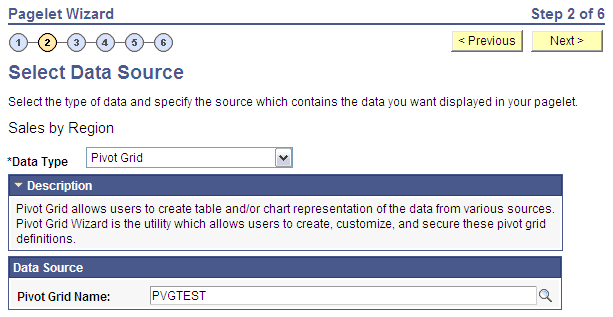
Select Pivot Grid in the Data Type field.
This example illustrates the fields and controls on the Select Data Source page for a pivot grid data source. You can find definitions for the fields and controls later on this page.
Pivot Grid is a PeopleSoft component that enables you to display application data in interactive pivot tables and charts so that you can pivot, slice, and dice your application data across multiple dimensions. Pivot grids are ideal data sources for pagelets that you use on dashboards and homepages as a form of operational reporting.
Data Source
| Field or Control | Description |
|---|---|
|
Pivot Grid Name |
Select the pivot grid that you want the pagelet to display. |
Related Topics