Selecting a Rowset Data Source
Access the Select Data Source page. (Select On the Specify Pagelet Information page, click the Next button.)
Select Rowset in the Data Type field.
The followings example illustrates the fields and controls on the Select Data Source page for a Rowset data source.
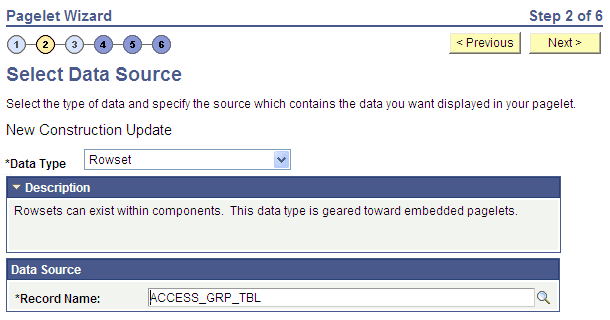
A rowset is a record that collects rows of data and can contain data from one or more records. The rowset data source is geared towards supplying data to embedded pagelets. This is because embedded pagelets require that a populated rowset be passed into the data source for it to be able to display the data as a chart or table, for example.
Embedded pagelets do not allow for customizable parameters that enable criteria selection. Consequently also, no end-user personalization for rowset data source pagelets.
When creating a rowset data source pagelet, you skip step 3 and proceed to step 4, in which you select your pagelet display format.
Data Source
| Field or Control | Description |
|---|---|
|
Record Name |
Select the record that contains the layout of the rowset that you want to use to supply your pagelet with data. Records available for selection are records that are tables or views. |