Setting Homepage Permissions
Use the Content Reference Security page (PORTAL_CREF_SEC) to define the portal registry security for the homepage definition.
Navigation:
From the Content Ref Administration page, select the Security page tab.
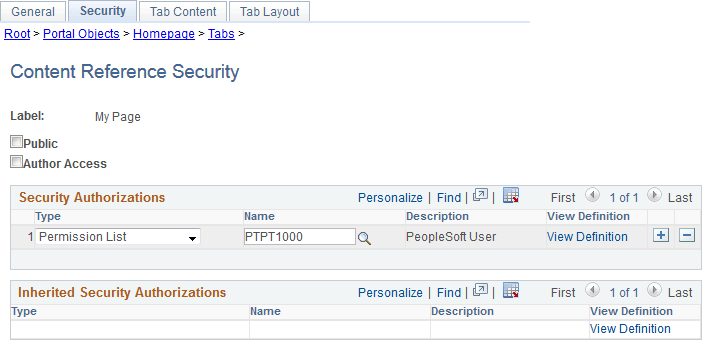
This example illustrates the fields and controls on the Content Reference Security page (a classic homepage definition is shown). You can find definitions for the fields and controls later on this page.
| Field or Control | Description |
|---|---|
|
Public |
Select to make the homepage available to all users. When this check box is selected, all other fields except Label are hidden. |
|
Author Access |
Select to indicate that the creator of the homepage definition can access the homepage in the future, regardless of how other permissions are set. |
Security Authorizations
You can base homepage security on roles or permission lists. You can specify any combination of roles and permission lists that allow homepage access.
| Field or Control | Description |
|---|---|
|
Type |
Select from these types:
|
|
Name |
Select the permission list or role that you want have access to this homepage. |
|
View Definition |
Click to access the security administration component for the permission list or role specified on the current row. |