Specifying Passthru Display Options
After selecting the Passthru option on the Select Display Format page, select the Specify Display Options page. (Select On the Select Display Format page, click the Next button.)
Note:
For OBIEE Reports and pivot grids, Passthru is the only display format option.
This example illustrates the fields and controls on the Specify Display Options page for the passthru display format. You can find definitions for the fields and controls later on this page.
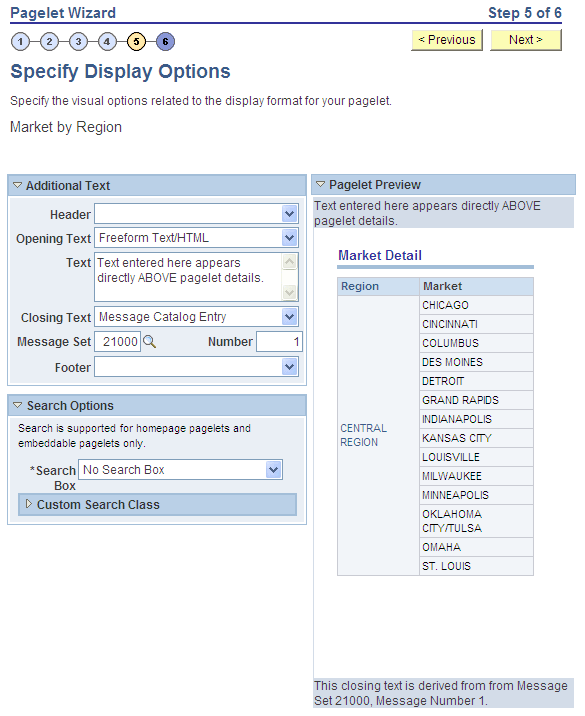
Additional Text
| Field or Control | Description |
|---|---|
|
Header |
Select a value from this field to display a header below the pagelet header, but above any opening text. |
|
Opening Text |
Select a value to include text above the pagelet details. Select from these values:
|
|
Text |
Enter text or HTML. This field appears when you select Freeform Text/HTML as the opening or closing text. |
|
Closing Text |
Select a value to include text below the pagelet details. Select from these values:
|
|
Footer |
Select a value from this field to display a footer above the Footer bar, but below any closing text. |
Pagelet Preview
Displays a preview of the pagelet based on most display option settings on this page.