Specifying Search List Display Options
After selecting the Search List option on the Select Display Format page, select the Specify Display Options page. (Select On the Select Display Format page, click the Next button.)
This example illustrates the fields and controls on the Specify Display Options page for the search list display format. You can find definitions for the fields and controls later on this page.
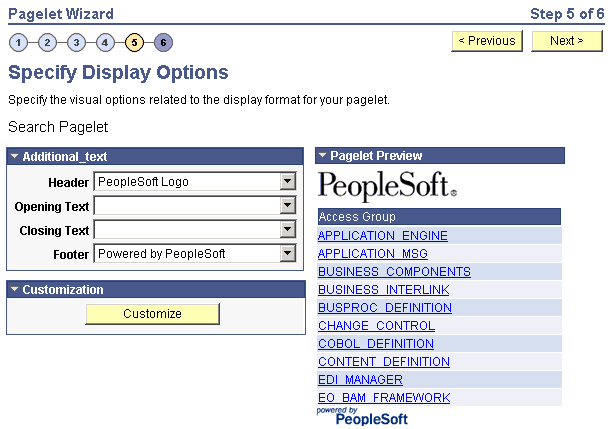
Pagelet Preview
Displays a preview of the pagelet based on most display option settings on this page.