Understanding Navigation Collections Used to Create Custom Homepage Tabs
PeopleTools allows you to use specially designed navigation collections as definitions for custom homepage tabs. These navigation collections allow you to create links to local or remote content references that are then rendered as homepage tabs, and which appear after standard homepage tabs beneath the portal header. Because simple content references can be added to these collections, you can now designate any content reference or WorkCenter as a homepage tab. The requirement for creating such a “custom tabs” navigation collection is that the links must reside in the root folder of the navigation collection; links in subfolders will not be displayed as homepage tabs.
Once a navigation collection has been created, it can be designated for use as homepage tabs in the Custom Tabs field on the Branding System Options page or on the Assign Branding Themes page.
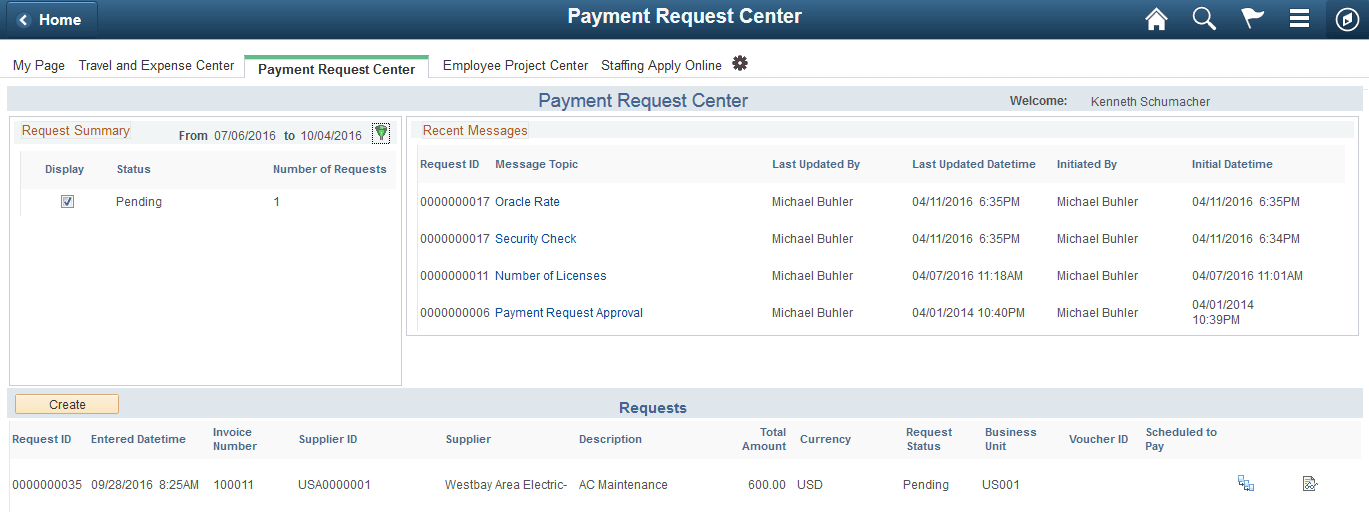
The following example displays a homepage that includes four custom homepage tabs: Travel and Expense Center, Payment Request Center, Employee Project Center, and Staffing Apply Online. These tabs have been defined as custom homepage tabs through the use of a navigation collection. These tabs are displayed after the default homepage tab: My Page.
Note:
To avoid forcing users to scroll horizontally on the homepage, Oracle recommends that you configure and display no more than seven standard or custom homepage tabs.
Using a navigation collection to designate homepage tabs also provides you with the following benefits with respect to remote content:
-
Security is checked in real time against definitions in the content provider system.
-
You do not need to manually import content references or security from the content provider system
-
If the remote system is down or has not been configured, the homepage tab is not displayed.
Note:
Remote items require additional processing whenever a user signs in or the cache expires to check security on the remote content provider system. In addition, the Navigation Collections component only supports adding remote component-based content references. To add other remote items to a navigation collection, you must manually create the content reference through the Structure and Content component.
Note:
PeopleSoft Interaction Hub 9.1 Rev 2 (and above) is delivered with navigation collection named Custom Tabs, which includes 12 pre-defined links as sample data. See the documentation for PeopleSoft Interaction Hub for more information on this Custom Tabs navigation collection.
Related Topics