Viewing Menu Folder Structure Information
Access the Menu Folder Structure page ().
This example illustrates the fields and controls on the Objects tab of the Menu Folder Structure page. You can find definitions for the fields and controls later on this page.
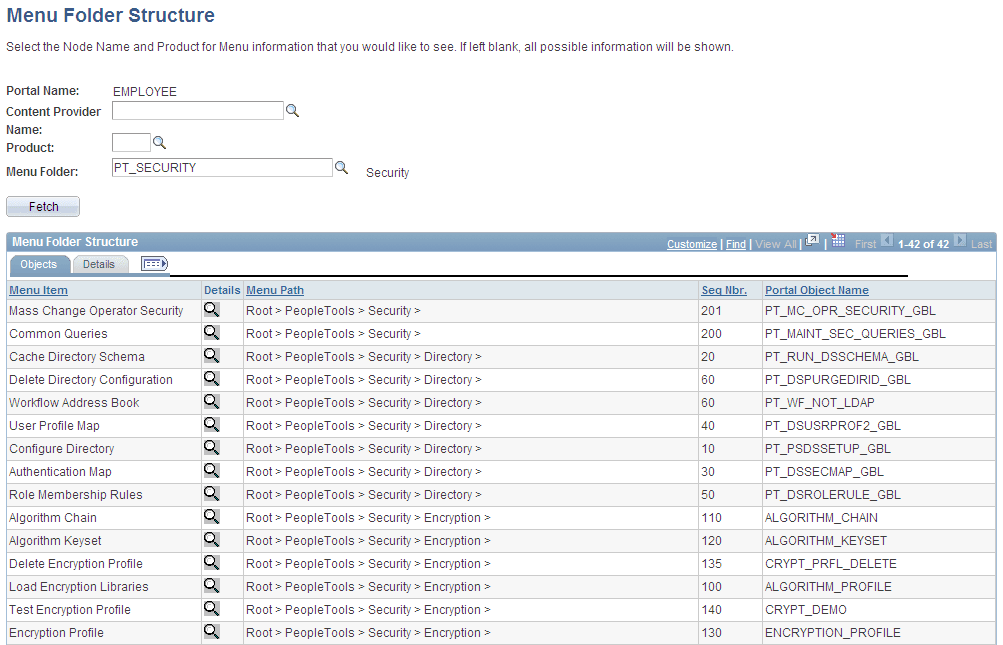
Use this page to view a list of content references for a selected portal registry folder. You see the contents of one or several menu folders.
| Field or Control | Description |
|---|---|
|
Portal Name |
Displays the name of the portal that you are currently using. |
|
Content Provider, Name, Product, and Menu Folder |
Select a combination of criteria for filtering the results. If any of the fields are left blank, all possible information for those fields are shown. |
Objects Tab
Select the Objects tab.
| Field or Control | Description |
|---|---|
|
Menu Item |
Displays the menu item description. |
|
|
Click to view more detail information on the Menu Item Detail page. |
|
Seq Nbr (sequence number) |
Displays where the menu item is located in its menu folder. If this field is blank, the menu item is added to the top of the list of content references within its folder and displayed in alphabetical order. |
|
Portal Object Name |
Displays the menu item ID. |

Details Tab
Select the Details tab.
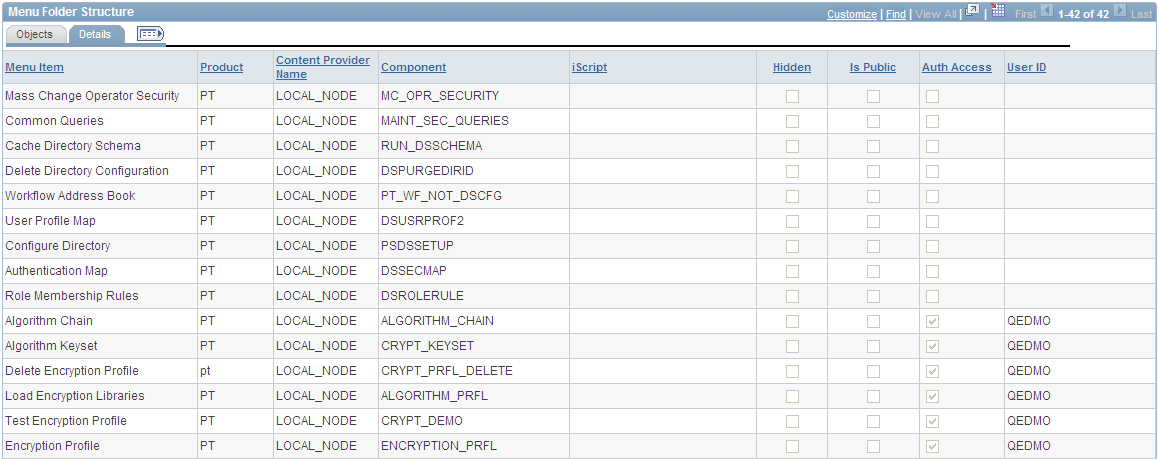
This example illustrates the fields and controls on the Details tab of the Menu Folder Structure page. You can find definitions for the fields and controls later on this page.
| Field or Control | Description |
|---|---|
|
User ID |
If the Auth Access check box is selected, this field displays the author's user ID. |