Defining Distribution Lists
To access the Job Distribution page, select
Use the Job Distribution page to set up a distribution list for jobs, based on role or user ID.
Note:
You must specify an output type of Web, Window, or Email for the distribution list to be accepted when the PSJob is created
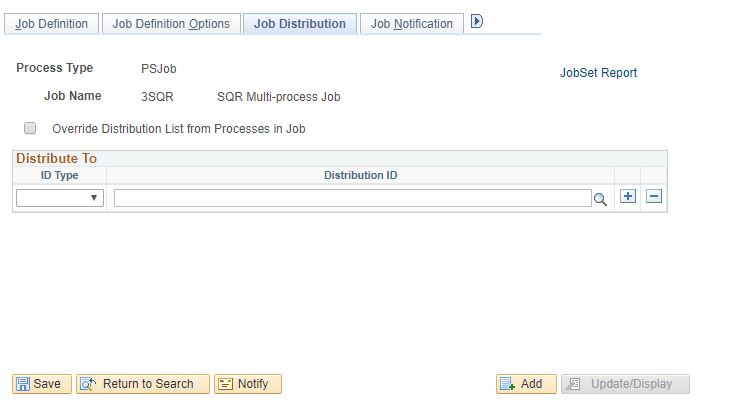
This example illustrates the Job Distribution page. You can find definitions for the fields and controls later on this page.
| Field or Control | Description |
|---|---|
|
Override Distribution List from Processes in Job |
Select to use the distribution IDs from the job definition. If the check box is deselected, distribution IDs from both the job and process definitions are used. Job Within Job: The Override option for the main job is ignored. Process Scheduler uses the distribution IDs from the PSJob definition. If the check box is deselected, distribution IDs from both the PSJob and process definitions are used. Note: When the Override option is selected for the main job, Process Scheduler uses the distribution IDs from the main job definition and ignores only the distribution IDs from the individual process definitions within the main job. |
|
Distribute To |
Select the recipients of the process output. Select an ID type of User or Role and the corresponding distribution ID. Email recipients must be authorized to view the content of the email and their email addresses must be entered in their security user profiles. |