Setting Job Definition Options
To access the Job Definition Options page, select
This example illustrates the fields and controls on the Job Definition Options page. You can find definitions for the fields and controls later on this page.
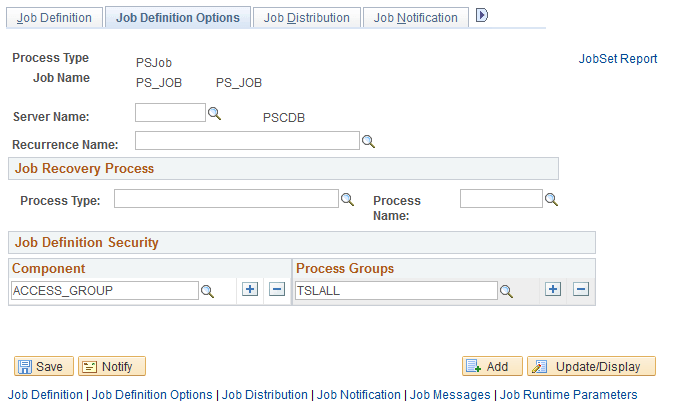
Use the Job Definition Options page to define options for jobs that you run on a regular basis.
| Field or Control | Description |
|---|---|
|
Server Name |
Enter a server name if you want to require this job to run on a specific server only. If you leave this field blank, the job finds an available server on which to run, based on the process class. |
|
Recurrence Name |
(Optional) Select a recurrence name for running at previously defined intervals. If a recurrence interval is assigned to a job, the distribution list for the job must be defined in the job definition and not at runtime. |
Job Recovery Process
| Field or Control | Description |
|---|---|
|
Process Type and Process Name |
Enter the type and name of an optional process that can be run in case this job runs to an error. The job will not restart until the system recovery optional process entered here has run. |
Job Definition Security
| Field or Control | Description |
|---|---|
|
Component |
To add new rows, click the Add button. This makes the job definition a member of that component. Adding a component to a job definition causes that job definition to appear on the Process Scheduler Request page when you select File, Run within that component group, if you have security to run the process. |
|
Process Groups |
Select an existing group, or add a new class by entering a unique process group. To add new rows, click the Add button. A job definition may be a member of multiple process groups. Process Groups are assigned in PeopleSoft Security Administrator. This enables you to specify the process requests that classes of users can run. |