Defining Process Categories
To access the Process Categories Administration page, select
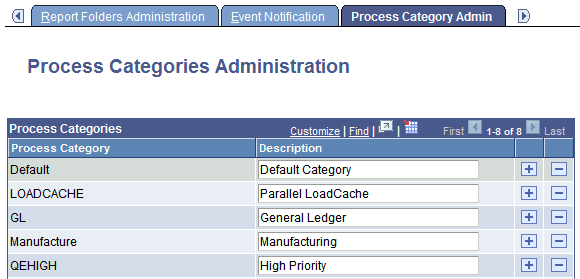
This example illustrates the fields and controls on the Process Categories Administration page. You can find definitions for the fields and controls later on this page.
Use process categories to group processes together for the purpose of server load balancing and prioritization. You can select to run jobs or processes belonging to certain process categories on specific servers, and then you can set a priority of high, medium, or low for each category.
For example, you can group your manufacturing processes into one category and your General Ledger (GL) processes into another category. You can then set the priority for your GL category to high so that GL processes always run first.
| Field or Control | Description |
|---|---|
|
Process Category and Description |
Enter the name and description for each new process category. Note: The categories Default and LOADCACHE are delivered with your system. |
Note:
The process category LOADCACHE is only used to run the Parallel LoadCache job.