Defining XCopy Distribution Nodes
Access the XCOPY – Report Node Definition page. Select XCOPY from the Protocol list.
Select the XCOPY transfer mode when both the Process Scheduler and the Report Repository machines are on Windows.
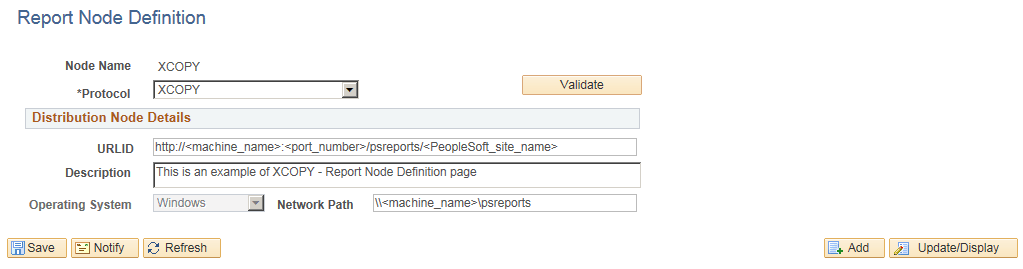
This example illustrates the fields and controls on the Report Node Definition — XCOPY page. You can find definitions for the fields and controls later on this page.
| Field or Control | Description |
|---|---|
|
Network Path |
Enter the universal naming convention (UNC) path that points to the Report Repository, for example: \\<machine name>\psreports |