Viewing Server Activity
To access the Server Activity page, click the name of a server on the Server List page.
This example illustrates the fields and controls on the Server Activity page.
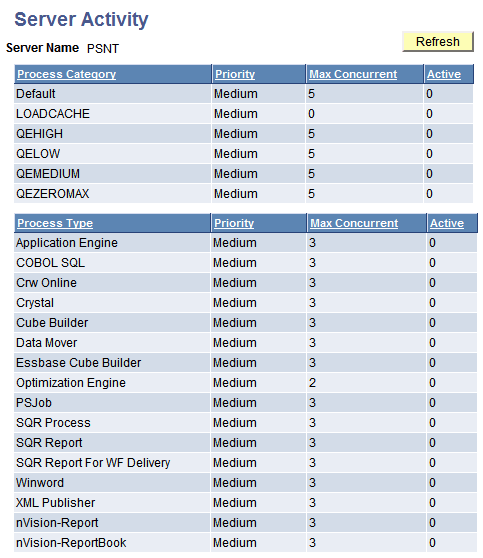
Use this page to view the following server activity information by process type and by process category:
-
Priority
-
Max. Concurrent
-
Active
Click the Refresh button to refresh the information. Click Return to return to the Server List page.