Setting Advanced Options
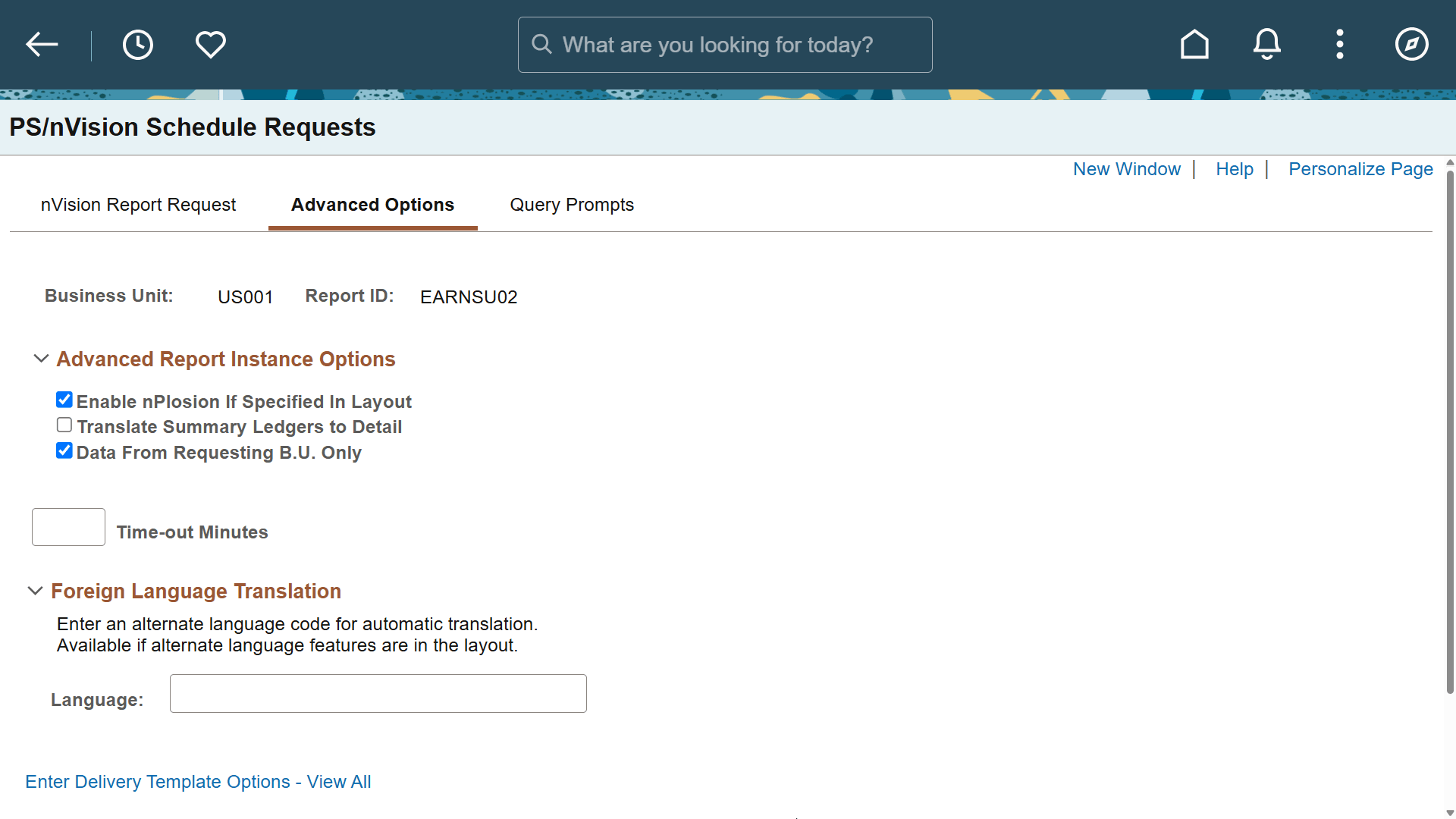
Use the nVision Report Request – Advanced Options page (NVS_REPORT_RQST3) to change high level specifications for your report request.
Navigation:
-
Select
-
Enter report request information.
-
Select the Advanced Options tab from the nVision Report Request page.
This example illustrates the fields and controls on the nVision Report Request – Advanced Options page.