Editing Header or Footer Text
Use the Header page (QRY_HEADER) or the Footer page (QRY_FOOTER) to include a descriptive text in the header or footer area respectively on the Query HTML result page. These texts are used by query owners to provide additional information about the query that is run.
Query owners can include just one header and footer text in each query. The Header and Footer links open a page to set the query title text.
Navigation:
To access the Query HTML Header or Footer page:
-
Select
-
Create a new query or search for an existing one.
-
Click the Header or Footer link on any page of the Query Manager component except the Run page.
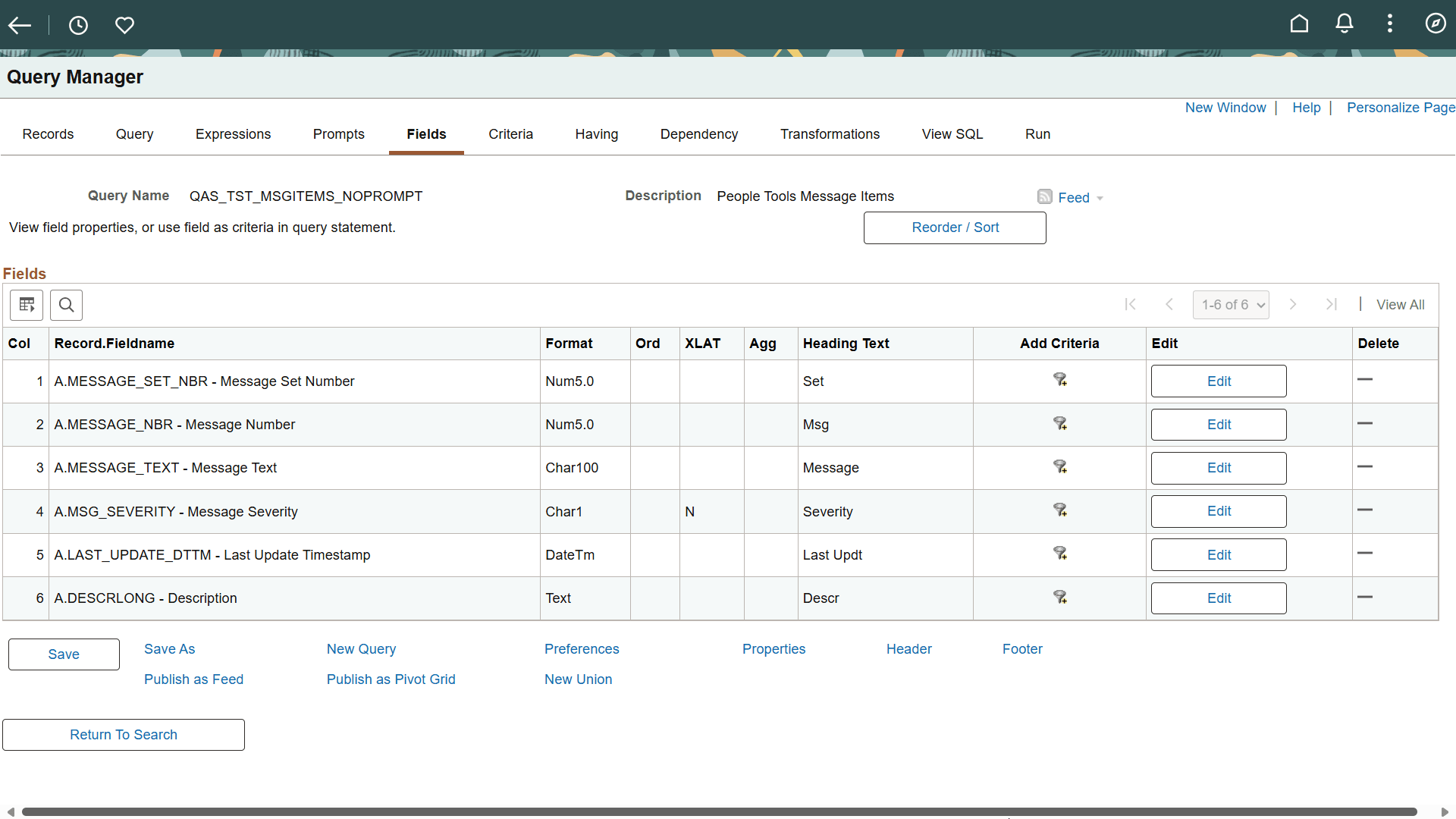
This example illustrates the Header and Footer links on the bottom of the Query Manager page.
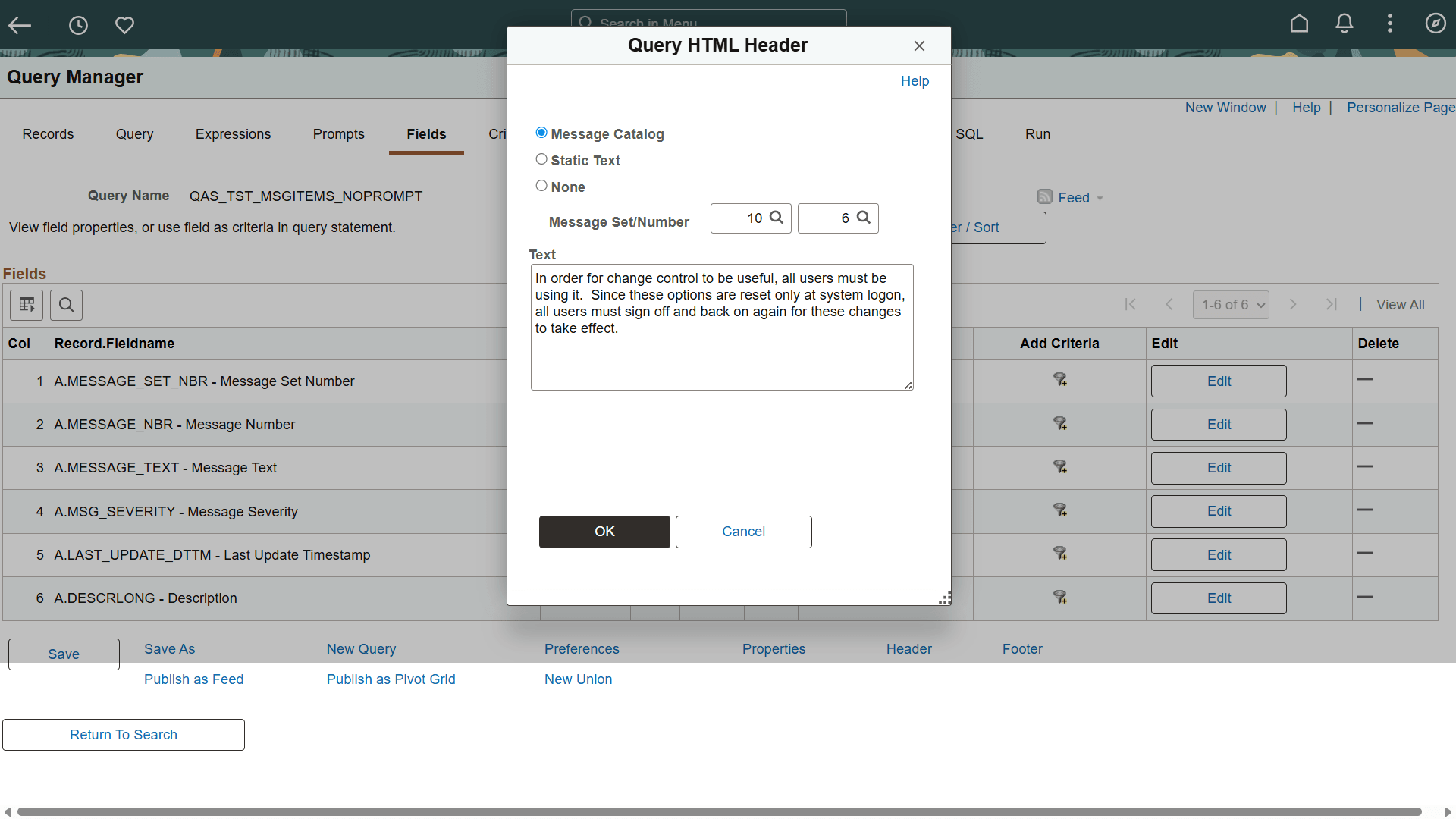
On clicking the Header link, the Header page appears. To display a text message on the header region of a query result, select one of the following options:
-
Message Catalog: Select this option to make the header text translatable. When you select Message Catalog, you can set the Message Set Number and Message Number properties.
-
Static Text: Select this option if you do not require the message text to be translatable.
-
None: This is the default option. Select this option if you do not wish to display any header text.
This example illustrates the fields and controls on the Header page.
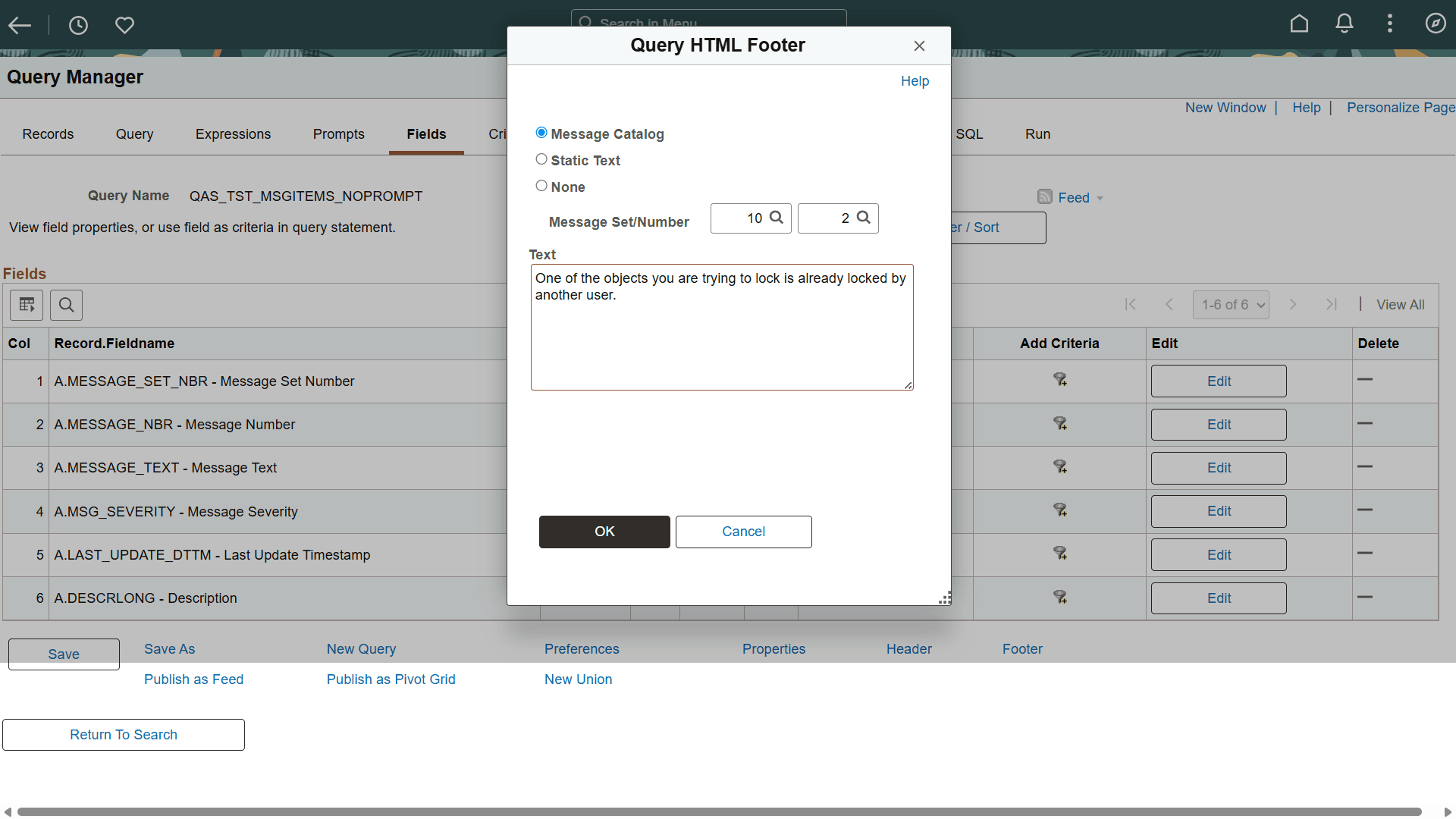
On clicking the Footer link, the Footer page appears. To display a message on the footer of a query result, select one of the following options:
-
Message Catalog: Select this option to make the footer text translatable. When you select Message Catalog, you can set the Message Set Number and Message Number properties.
-
Static Text: Select this option if you do not require the message text to be translatable.
-
None: This is the default option. Select this option if you do not wish to display any text on the footer of the query result.
This example illustrates the fields and controls on the Footer page.
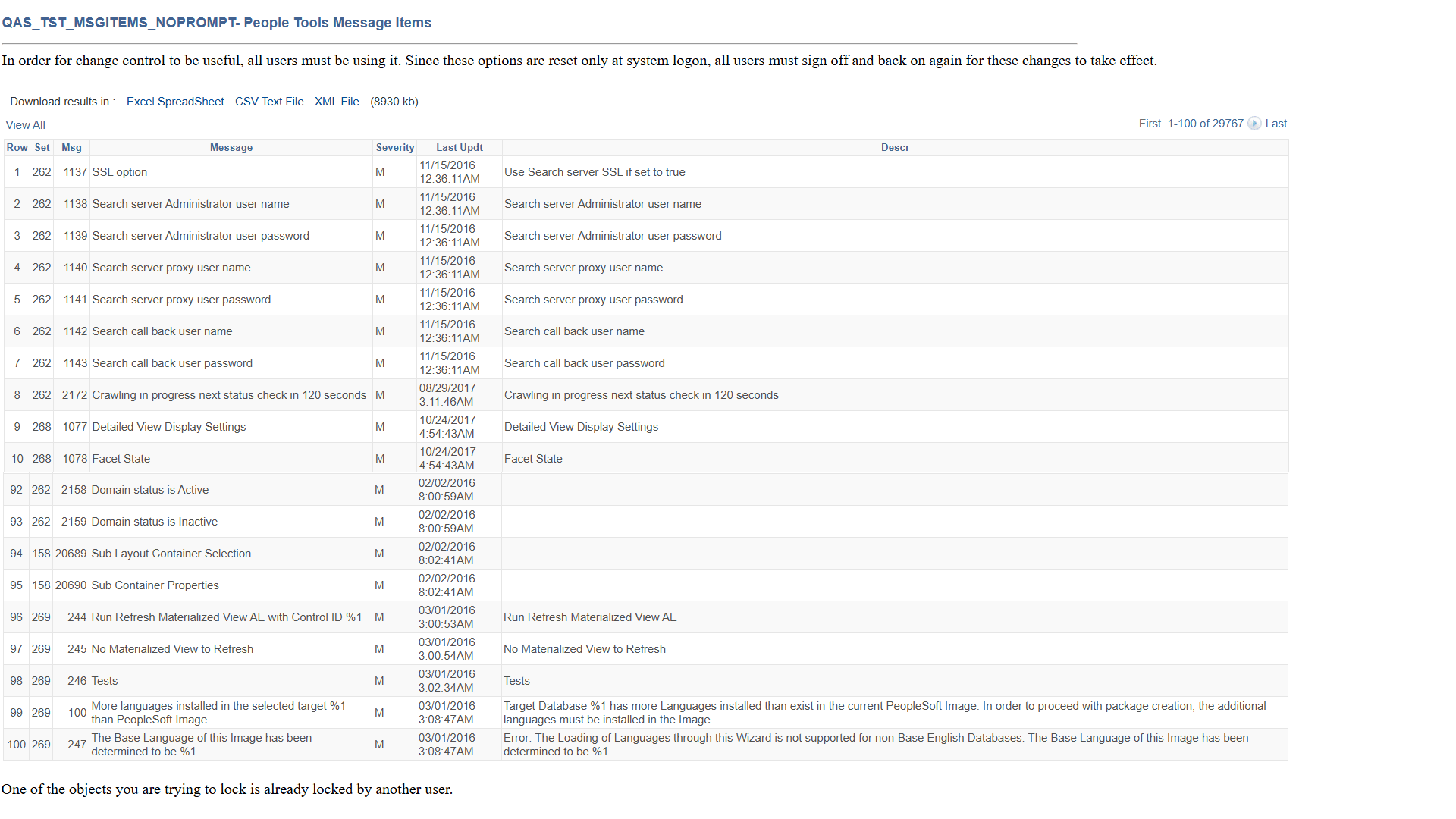
This example illustrates the fields and controls on running a query with header and footer texts set from Message Catalog entries.
Note:
This result only applies to Run to HTML option for displaying query result, such as links to run query to html output from WorkCenter, Navigation Collection menu, Query Manager and Query Viewer.