Viewing Underlying SQL Code
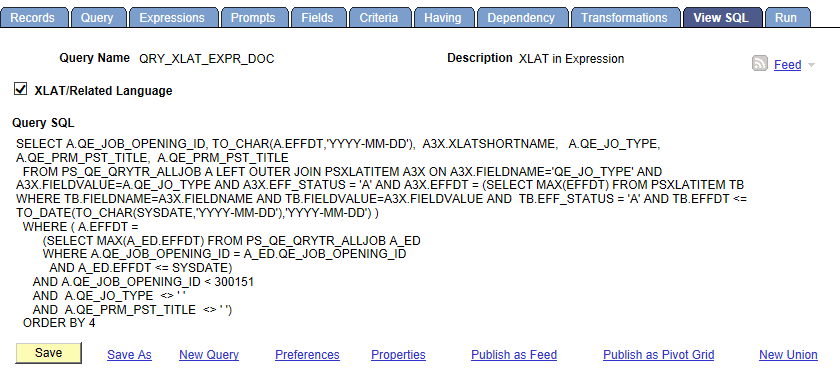
Use the View SQL page (QRY_SQL) to view the underlying SQL code that Query Manager generates based on your query definition. You can select the XLAT/Related Language check box to display the full SQL, including the system generated XLAT and Related Language left outer joins; otherwise, deselect this check box to display the SQL without the XLAT and Related Language joins. You cannot modify SQL on this page.
Navigation:
-
Select
-
Create a new query or search for an existing one.
-
From the Fields page, select the SQL tab.
This example illustrates the fields and controls on the View SQL page.
Note:
To copy the SQL statement, highlight the text of the statement, copy it using your browser’s copy command, and then paste it into another application.