Selecting Base Queries
Use the Select Base Query page (PSCPQSELECTQRY) to select one or two base queries for the composite query.
Note:
Currently, only queries that do not have runtime prompts can be selected as base queries.
Navigation:
-
Select Reporting Tools, Composite Query, Composite Query Manager.
-
Select the Add a New Value tab.
-
Enter the basic information in the Specify Composite Query Properties page and click the Next button.
This example illustrates the fields and controls on the Select Base Query page. Definitions for the fields and controls appear following the example.
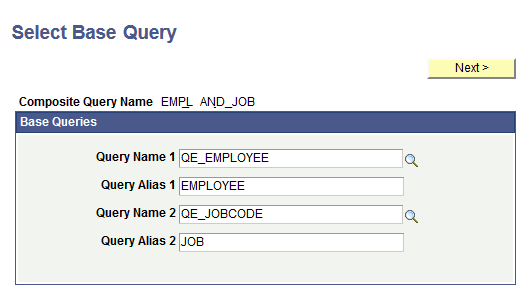
| Term | Definition |
|---|---|
|
Query Name |
At least one query must be selected. The query names cannot be changed after you enter the values into this page and move to the next page. |
|
Query Alias |
Enter the query alias name. Note that the query aliases cannot:
|
|
Next |
This button is available after you select the name of the first base query. Click this button to advance to the Specify Query Joins page. |