Using the Default Prompt Values for Query Prompts
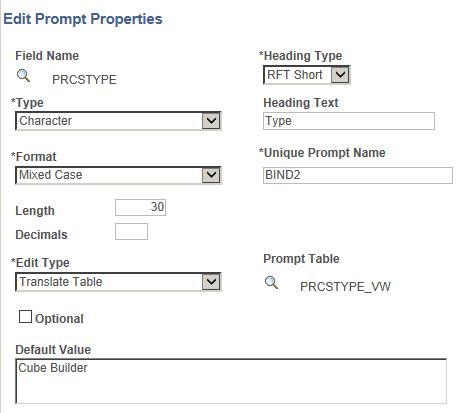
In the Edit Prompt Properties page, if there is a default prompt value, when you run the query, the prompt window displays the default prompt value in the prompt field.
This example shows the Edit Prompt Properties page with the Default Value field set to Cube Builder.
This example shows the prompt window with the default prompt value Cube Builder displayed for the character prompt.
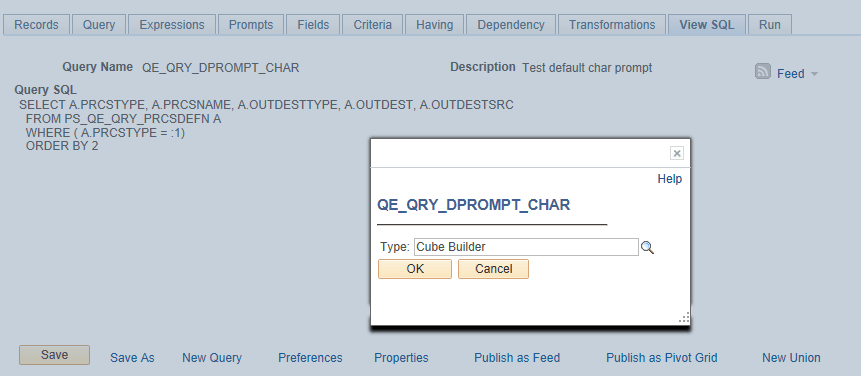
In the prompt window, you can either run the query using the default prompt value or enter a different value to overwrite the default prompt value. If you do not use the default prompt value, the prompt value that you enter or select must be validated based on the value selected in the Edit Type list. For example, if the Edit Type list is set to Prompt Table, the prompt value must be a valid value from the prompt table.
Note:
After you define the default prompt value, you are not able to run the query with a blank prompt value. In fact, the value in the Default Value field is always used as the prompt value if you do not enter a value for the prompt. For example, after you define the Default Value field and save the query, and then you clear the default value when you run the query, the query still runs using the value in the Default Value field as the prompt value, even after you clear the value.
If you do not enter a default value for the prompt and the required prompt is set to No Table Edit, the system runs the query using the blank value for a character prompt and using 0 (zero) for a numeric prompt.
If there is a default prompt value and you enter NULL as a prompt value when you run the query, the default prompt value is used as the prompt value.
Note:
PSQuery doesn’t support the criteria that compare the long character fields to the prompt values. You can only set criteria with long character field to be Is Null or Is Not Null.
PSQuery does not set a numeric prompt field to NULL, so numeric prompt always initialize with 0 (zero), which may be the value that you enter or the default value of a field.
-
If 0 is a value of an optional numeric prompt and it also is NULL, this NULL value is used as an indicator that you have not entered a prompt value; therefore, the criteria defined to be compared with an optional numeric prompt is dropped during runtime.
-
If 0 is a valid prompt value, you should not set the prompt to optional. The query is run with the prompt value set to 0 and the prompt value is validated accordingly.
Using System Variables as the Default Prompt Values
In addition to specifying the default prompt value as a constant, you can use system variables as the default prompt values for some prompt types.
This table lists the system variables that can be used as the default prompt values.
| System Variable | Valid for Prompt Type |
|---|---|
|
%Date |
Date |
|
%DateTime |
DateTime |
|
%Time |
Time |
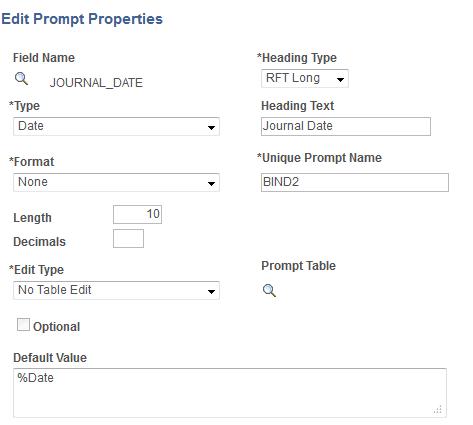
For example, if the Default Value field in the Edit Prompt Properties page is set to %Date, when you run the query using the Run page in Query Manager, the prompt window displays the current date as the default prompt value. You then can either use the default value (current date) or select a new date.
This example shows the Edit Prompt Properties page with the Default Value field set to %Date.
This example shows the prompt window displaying the current date as the default prompt value.
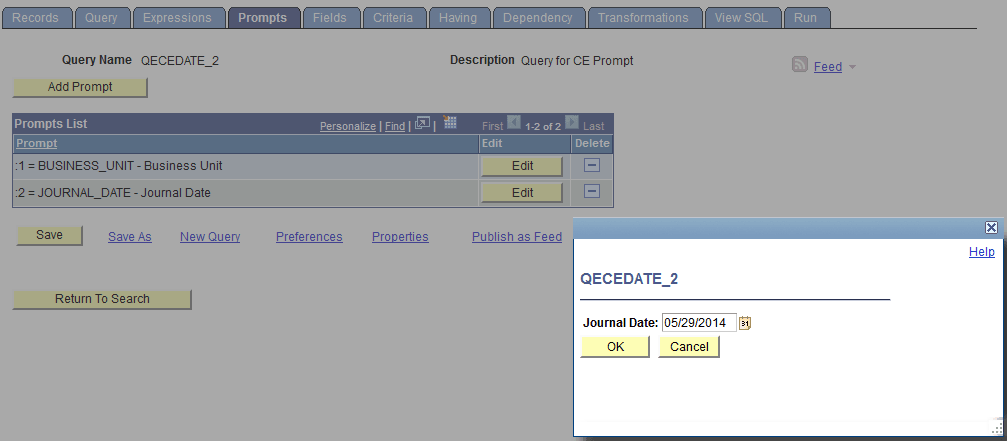
When you use the Schedule Query page to schedule a query that has a date prompt with the Default Value field in the Edit Prompt Properties page set to %Date, the prompt window also appears displaying the current date as the default value.
To ensure the correct date is displayed on the query report every time the query is run:
-
If you click the OK button in the prompt window without entering a new prompt date, the default prompt date value (%Date) is saved to the run control record instead of the current date (resolved value of %Date).
-
If you click the OK button in the prompt window after you enter a new prompt date value, for example, 01/01/2014, the new prompt date value 01/01/2014, not the %Date value, is saved to the run control record.