Managing Configurable Search Configurations
Use the Manage Configurable Search page to list configured content references, to add a new configuration, and to review, edit, or delete an existing configuration.
Access the Manage Configurable Search page by selecting .
Note:
Manage Configurable Search page requires the PTPORTALREGISTRY search definition, so you must ensure that the search definition is deployed and indexed.
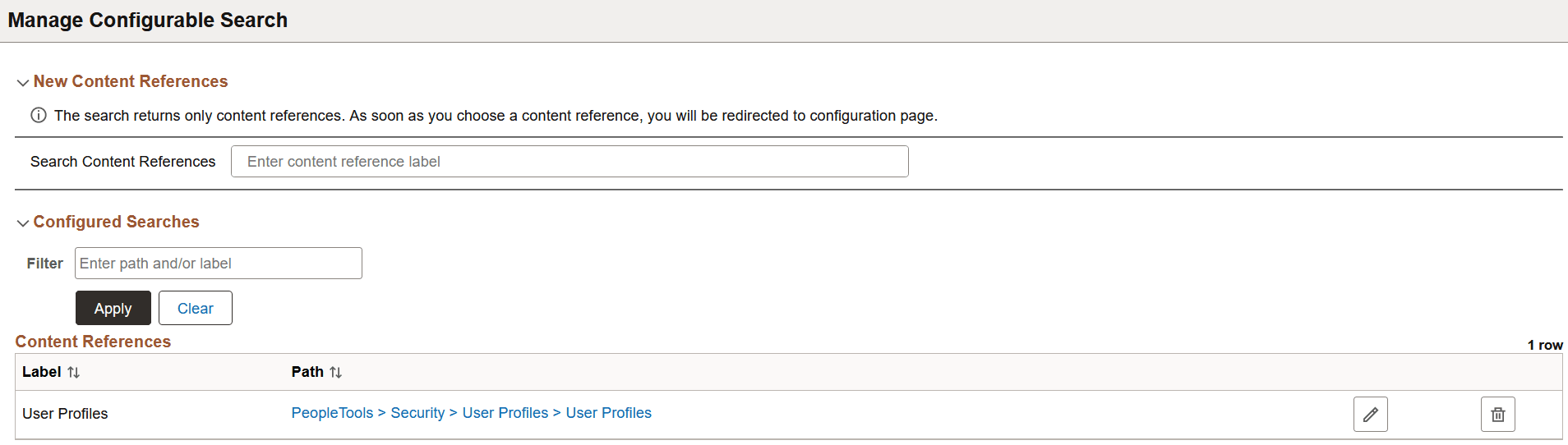
This example illustrates the Manage Configurable Search page. Descriptions of the fields appear after the example.
New Content References
The New Content References section enables you to search for content references that you want to configure for configurable search. When you select a content reference, the Search Configuration page displays the details of the selected content reference if the following conditions are met:
-
Add, or Update/Display, or both action modes are enabled on the Use tab of the Component Properties dialog box in Application Designer.
-
Search record contains search keys.
See Application Designer Developer’s Guide: Setting Component Properties.
If any of these conditions are not met, the system does not display the Search Configuration page, but displays the following error message: Search and Add modes are not enabled for component, cannot configure the content reference.
Configured Searches
The Configured Searches section lists the content references that have been configured for configurable search. You may edit the configuration or delete the configuration. The list of configured content references could be quite long, so you can use the filter option to identify the content reference you require.