Using a Dashboard that is Configured as Related Information of a Component
The dashboards that are configured as related information of a component display on the right panel of the component.
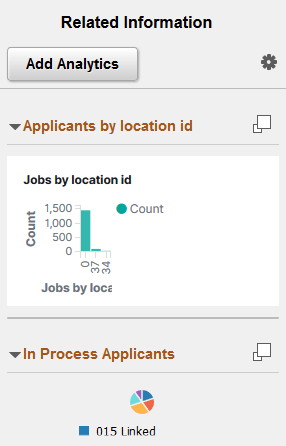
This example illustrates a dashboard configured as related information. You can find definitions for the fields and controls later on this page.
| Field or Control | Description |
|---|---|
|
|
Use the button to display the dashboard in full view. Typically, the dashboard opens in a larger window and displays all the visualizations associated with the dashboard. When the dashboard displays in full view, you can filter the data or use the time picker to view data based on a time range. If the edit privilege is assigned to you, then the Open in OpenSearch Dashboards link displays, which enables you to open the dashboard in OpenSearch Dashboards and edit it. |

Note:
PeopleSoft Insights dashboards are rendered in real-time with data aggregations, which are collected at runtime. This may delay the rendering of the visualizations based on the data volume and network speed.