Using a Dashboard that is Embedded in Applications Page
After you embed the dashboard, you can easily access and view the embedded dashboard in the transaction area of the application page.
This example illustrates the Applications Page after you integrate a dashboard.
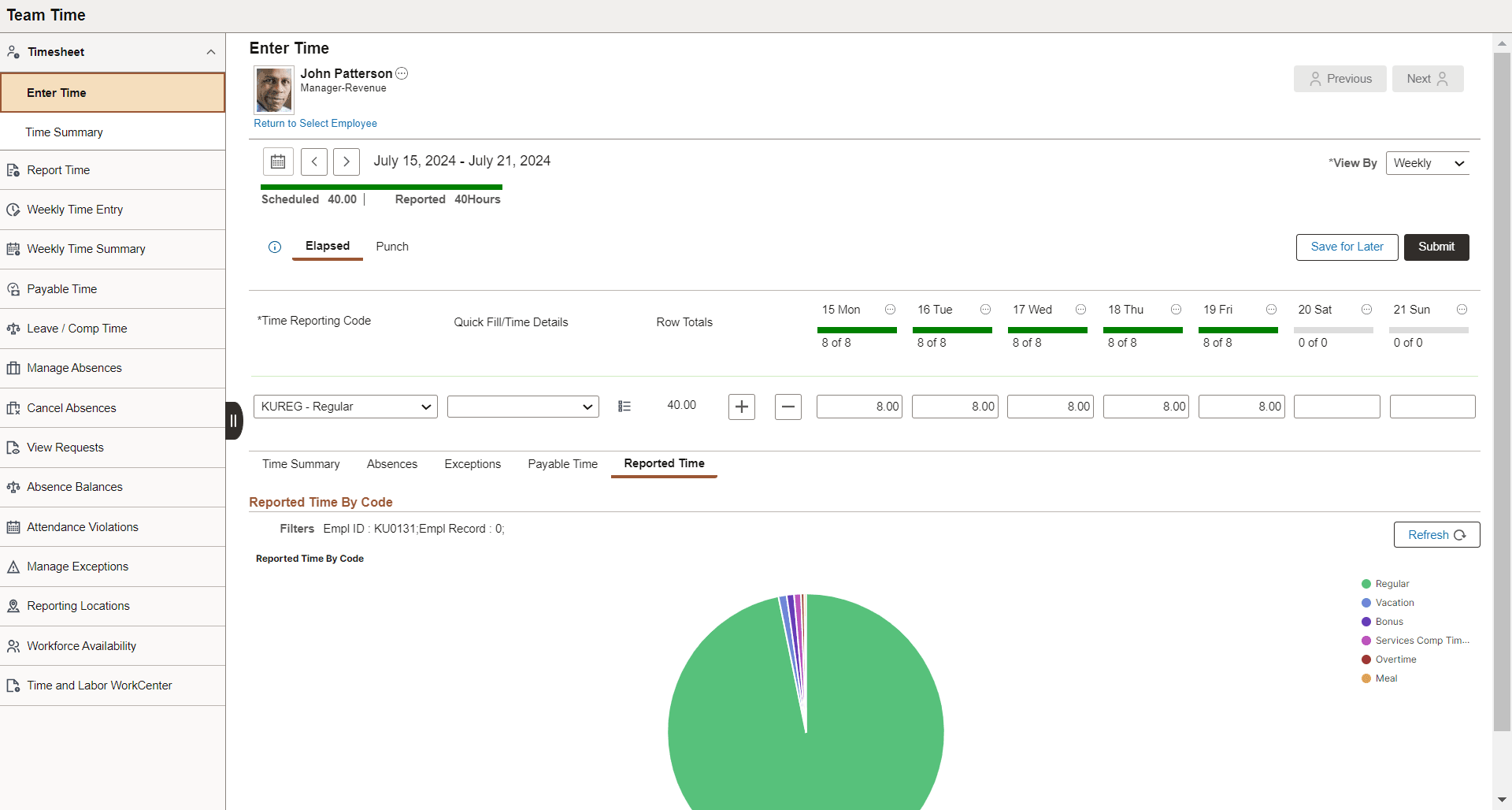
Once you embed the dashboard, you can view the applied filters in your visualization. This allows you to refresh the visualization based on the filter values applied at runtime using the Refresh button. You can also change the dashboard at runtime based on your requirements using the delivered PeopleCode methods. For more information, see PeopleCode API Reference: FilterValues Class Methods.
When you click the tile view visualization, a full view dashboard appears in the new window.