Assigning Search Group Permissions
Access the Search Groups page (select and click the Search Groups tab).
This example illustrates the fields and controls on the Permission Lists – Search Groups page.
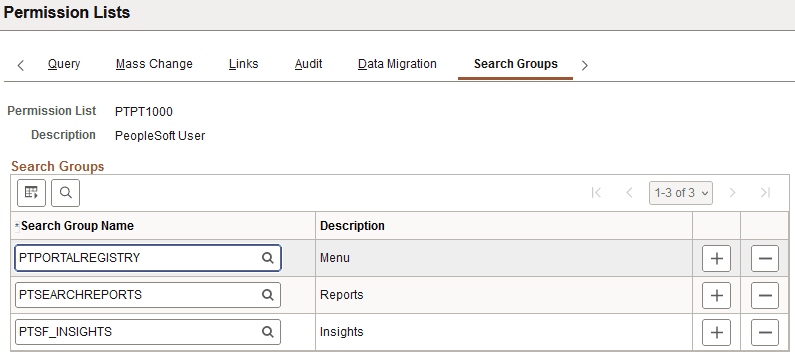
Use the Permission Lists – Search Groups page to assign search groups to permission lists.
To assign search groups to a permission list:
-
Click the Search Group Name lookup button to search for and select a search group to add to the permission list.
-
To specify additional search groups, click the Add button and select a search group for each row that you insert.
-
Click the Save button.
Related Topics