Displaying Static Role Members
Access the Members page (select and click the Members tab).
This example illustrates the fields and controls on the Roles - Members page.
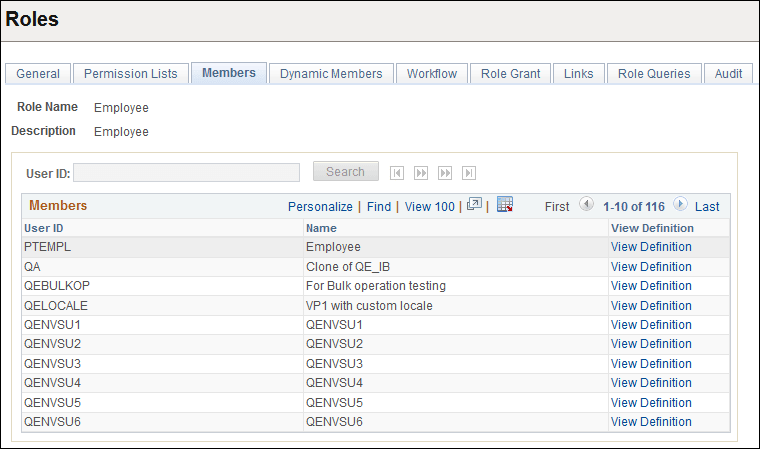
If your database contains more than 1000 role members, this page initially retrieves only the first 1000. You can view the other chunks of 1000 members one chunk at a time, either by searching for a user ID or by using the navigation buttons above the Members grid. The navigation buttons enable you to display the first chunk, the previous chunk, the next chunk, or the last chunk.
Note:
The navigation buttons, the User ID field, and the Search button are available for use when there are more than 1000 role members in the grid.
| Field or Control | Description |
|---|---|
|
User ID |
Enter part or all of a role member user ID for which to search. |
|
Search |
Click to search through the role members for the first chunk of rows that contains the user ID you entered. |
|
View Definition |
Click to view the user ID of the role member to ensure that you selected the appropriate definition for inclusion in the role. |