Setting Mass Change Permissions
Important:
Mass Change is a desupported product. If you used Mass Change in previous PeopleSoft releases, it is strongly recommended that you use Application Engine instead. For more information on PeopleSoft Application Engine, see Application Engine
Access the Permission List - Mass Change page (select and click the Mass Change tab).
This example illustrates the fields and controls on the Permission List - Mass Change page.
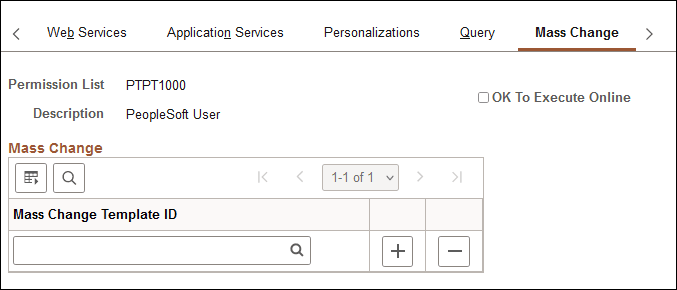
Mass change operator security controls:
-
What mass change templates a user can access to create new definitions.
-
Whether a user can run mass change definitions online.
-
What mass change definitions a user can open, view, or run.
These definitions must also be based on a template with the same PeopleSoft owner as the user.
Note:
Users inherit mass change authorizations through their primary permission lists, not through roles.
Before you can use a new template to create definitions, you must have permission to access it.
To modify mass change template permissions:
-
Add or remove templates from the Mass Change Template ID list.
-
Select or deselect OK To Execute Online, as needed.
When you have enabled the OK To Execute Online option, users with the given primary permission list can run mass change definitions after saving any modifications to the Mass Change Definitions pages.
-
Save your work.