Creating a Service Operation Handler
Use the Handlers page to create a service operation handler.
Navigation:
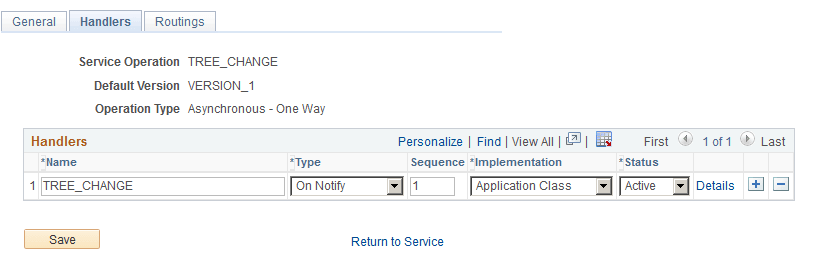
This example illustrates the fields and controls on the Handlers page - Service Operation.
To create a service operation handler:
-
Select
-
Select TREE_CHANGE service operation name, and click the Search button.
-
Click the TREE_CHANGE link.
-
Click the Handlers tab from the General page, and enter a handler name.
-
Select the On Notify option from the Type drop-down list.
-
Select the Application Class option from the Implementation drop-down list.
-
Click the Details link.
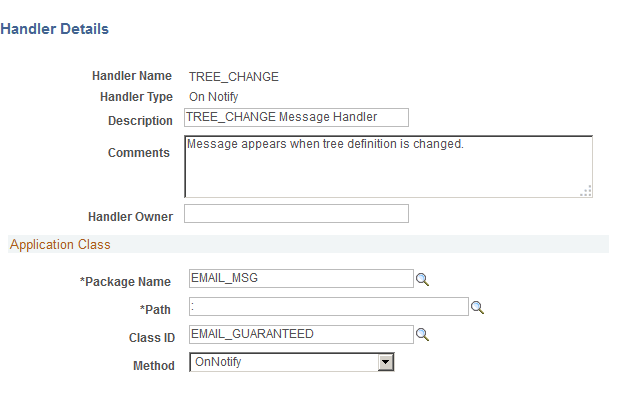
The Handler Details page appears.
-
Populate the required fields with data from the application package that you created.
This example illustrates the fields and controls on the Handler Details page populated with data from the application package.
Note:
There is a colon in the Path field.
Related Topics