Review Configuration Insights
After a configuration assessment completes, review the generated insights to understand how your Oracle Fusion environment is configured and used.
The dashboard summarizes configuration and adoption across Oracle Fusion applications and highlights opportunities to improve business process adoption.
You can identify:
- Configured business processes.
- Underutilized business processes.
- Business processes that aren't configured.
- Opportunities to improve adoption using Oracle Modern Best Practice guidance.
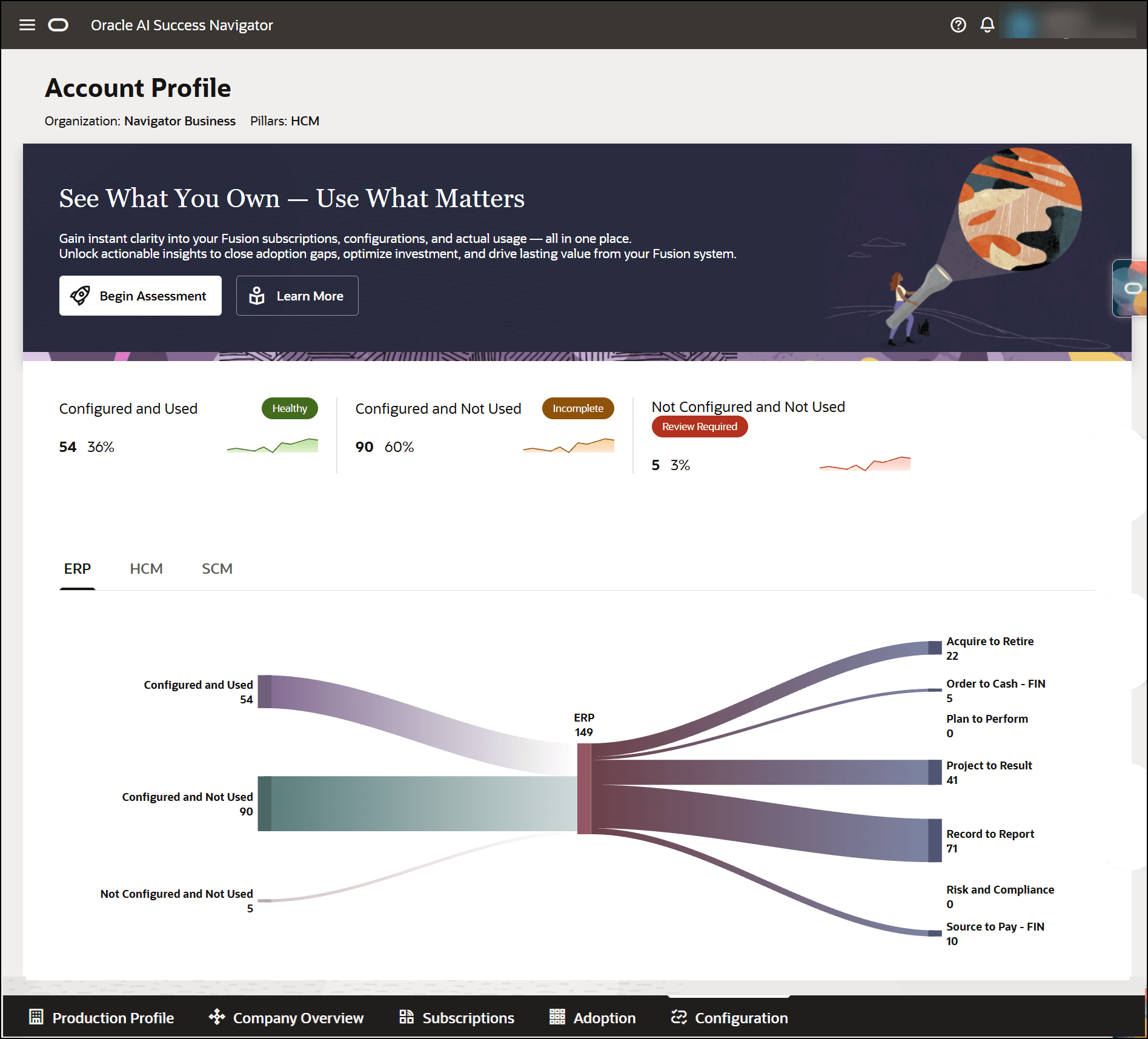
Review configuration insights
- Open Configuration.
- Select Learn More > View Assessment > then choose the assessment to view.
- Review the summary dashboard.
- Review the configuration and usage summary across supported application pillars.
- Select a business process to drill down into detailed process information.
- Review the configuration status and usage status for each process.
Understanding assessment status
Each business process is assigned one of the following statuses:
| Status | Description |
|---|---|
| Configured and Used | The process is configured and actively used. |
| Configured but Not Used | The process is configured but no usage activity has been detected. |
| Not Configured and Not Used | The process isn't configured and no usage activity has been detected. |
Note:
A process is considered Configured when at least one process-level configuration is enabled. A process is considered Used when usage activity is detected for that process.