Add a Logo to the Workbook Header in Present
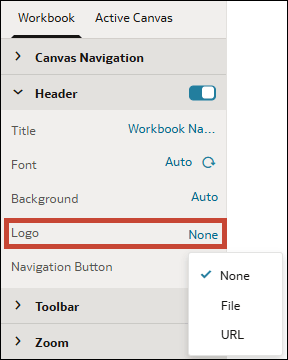
When you design a presentation flow, you can add a logo from a file or URL to the workbook header. The logo displays inline, before the workbook name.
- In the Header section, in the Logo row, click None, then select an image source.
- File – Click the file upload icon
 then browse for and select the logo file.
- URL – Paste the logo's URL into the text field.
- File – Click the file upload icon