Get a Public Link to an Analysis or Dashboard
Get a public link for an analysis or dashboard so that you can distribute the content publicly through an approved communication channel.
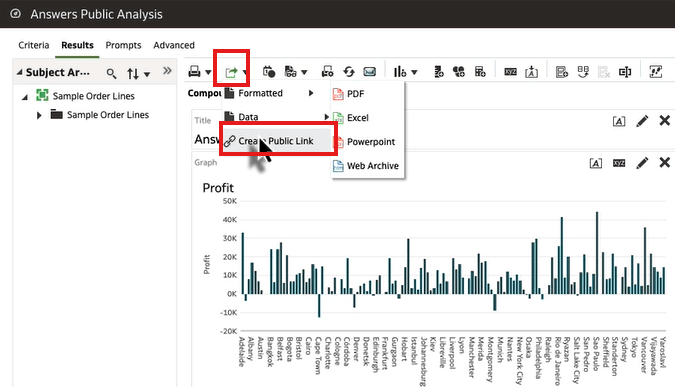
- Get the public link.For an analysis, on the Results tab, click Export this analysis, then click Create Public Link.
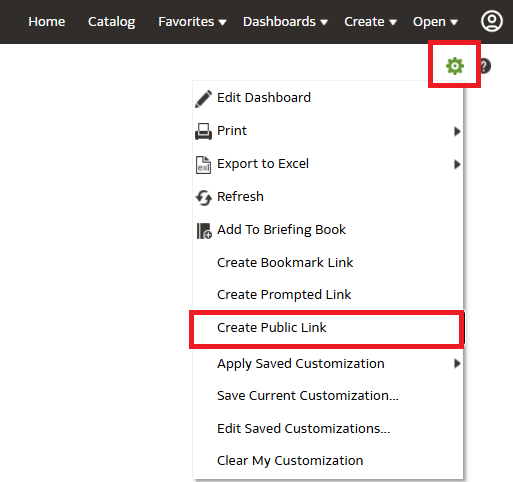
For a dashboard, click Page Options, then click Create Public Link.Oracle Analytics copies the public link to the clipboard.