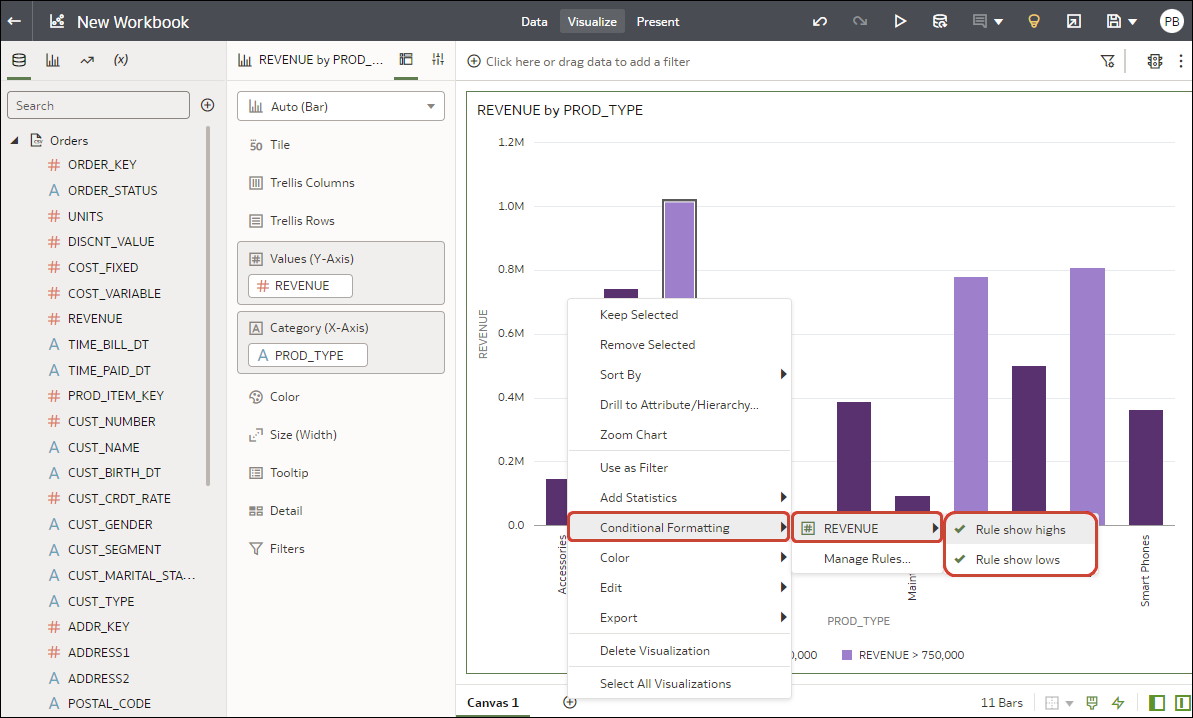
Enable a Conditional Formatting Rule
To highlight important events in your data, you can enable conditional formatting rules that're provided in a workbook. For example, you might be using a workbook that's configured with rules to highlight when revenues meet high, medium, and low thresholds.
- Click a column name, for example, REVENUE, to display rules available for that column.In this example, REVENUE has two rules available, "Rule show highs" and "Rule show lows". Active rules have a check mark.