Provide Users With Security Permissions to use Generative AI Models
If you're sourcing generative AI models from Oracle Cloud Infrastructure, provide the user with the appropriate security privileges.
To use OCI Generative AI models from Oracle Analytics (for example, to register models and invoke them in AI functions), an Oracle Analytics administrator must grant the required Oracle Analytics permissions to the appropriate user roles. This is done by assigning the OCI Generative Resource Principal permission to an Oracle Analytics role that end users belong to.
Before you start, confirm that your tenancy is configured with the required OCI IAM policies for OCI Generative AI. See Policies Required to Integrate Oracle Analytics with Generative AI Models.
- Log into Oracle Analytics with administrator privileges.
- On your home page, click Navigator
 , then click Console.
 - Click Roles and Permissions.
- Navigate to the Permissions tab.
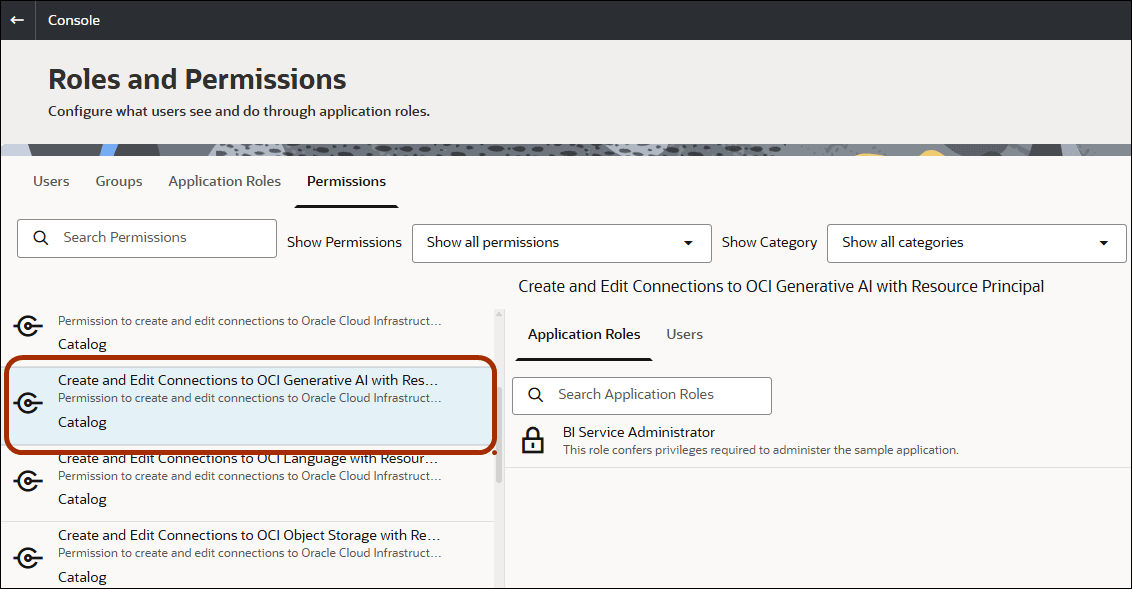
- Select Create and Edit Connections to OCI Generative AI with Resource Principal and review which users or application roles have this permission.
- Navigate to the Application Roles tab.
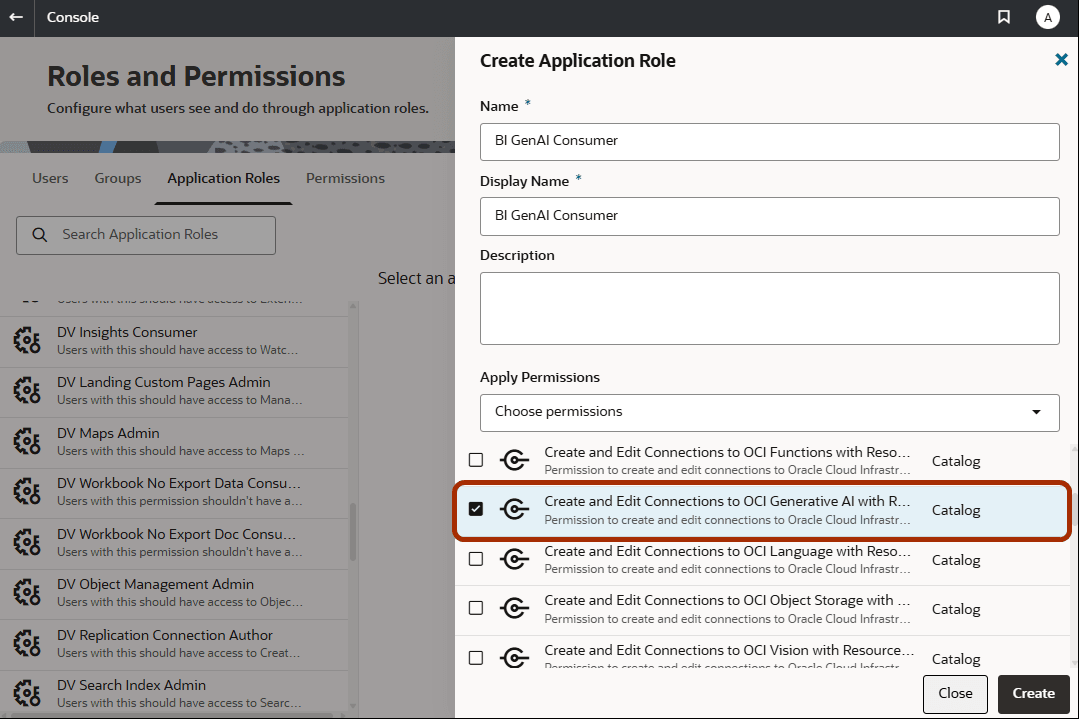
- Create a new role or select one of the existing application roles. For example, you might create a role named "BI GenAI Consumer".
- In the Apply Permissions list, select Create and Edit Connections to OCI Generative AI with Resource Principal, then click Create.
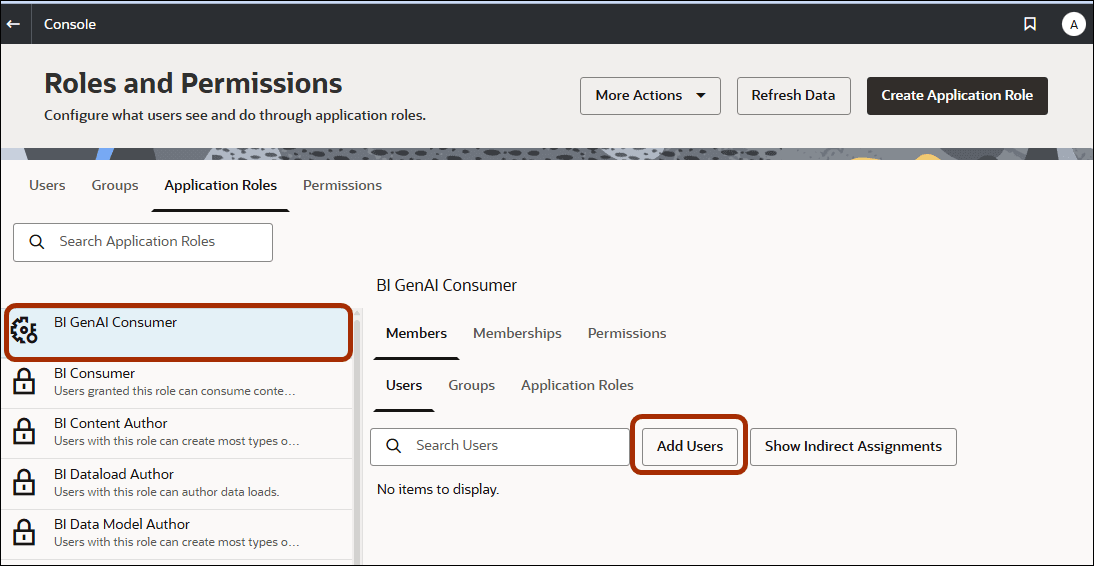
- Add users or groups to the application role that you just created.
- Save the changes.