Use an iframe Visualization to Embed HTML in a Canvas
Create an iframe visualization and use inline HTML to embed content in a canvas.
For example, use HTML to provide an interactive PDF viewer within the canvas so consumers can reference documents related to the information on the canvas without leaving the workbook.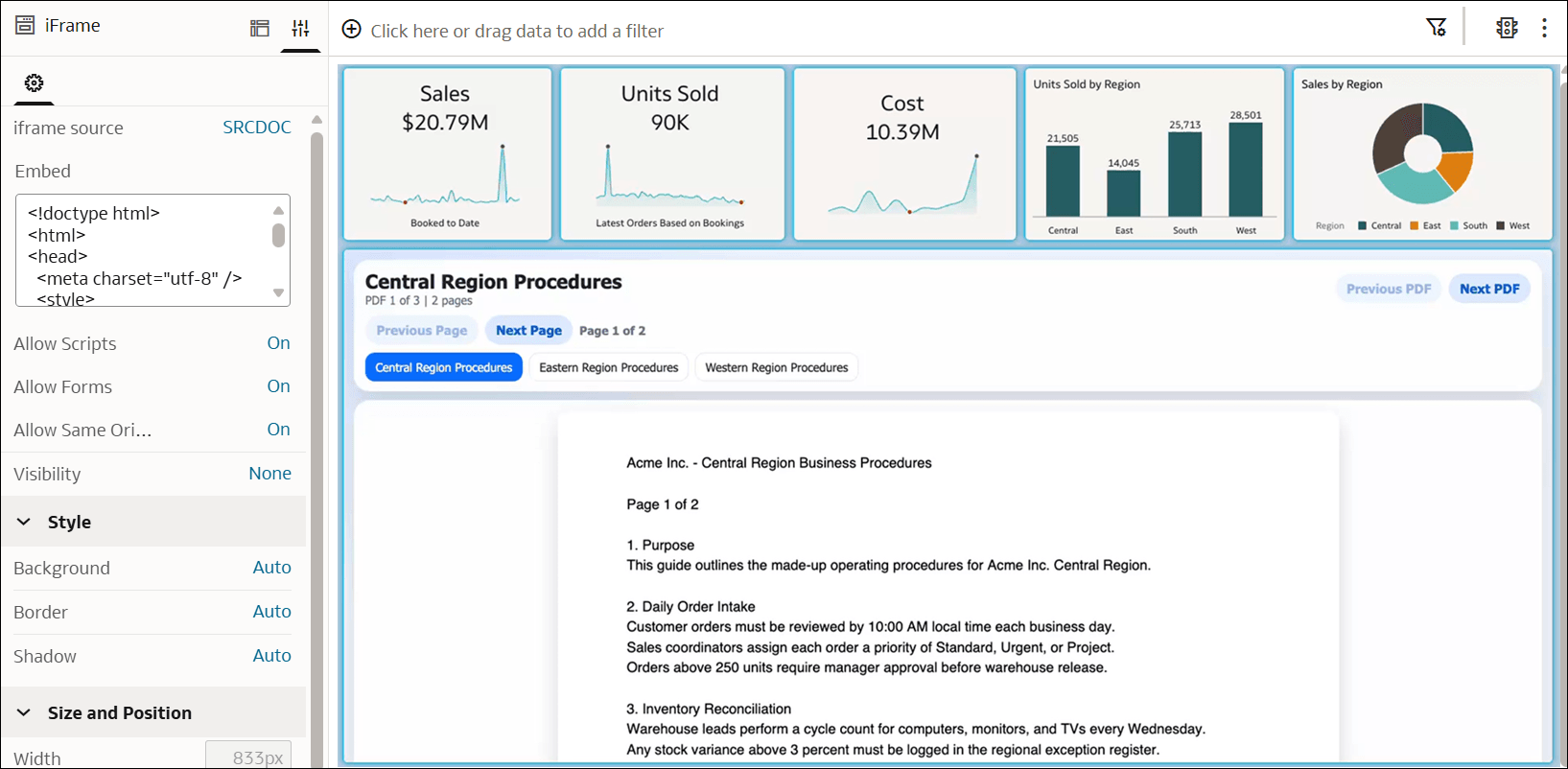
Description of the illustration iframe_html_example.png
- On your home page, hover over a workbook, click Actions, and select Open.
- In the Data pane, click Visualizations, go to Dashboard Controls, and drag iFrame
 to the canvas.
 - Click Properties.
- In the iframe source row, click SRC and select SRCDOC.
- In the Embed field, paste your inline HTML.
- Use the following properties to restrict or enable the embedded content:
- Allow Scripts
- Allow Forms
- Allow Same Origin
- Click Save.