Activate an MCP Gateway
After you add an MCP gateway, you must activate it. Then, you can start using it.
Prerequisites
Instructions
- Click Actions
 and then select Activate to activate the MCP gateway.
Get the Resource Server Scopes for the Confidential Application
If you selected the Use dedicated gateway authorization option when activating the MCP gateway, you must copy the two scopes for the MCP server resource name from the confidential application to use the client credentials grant type. These scopes are required to connect to the MCP gateway.
Use of the Use dedicated gateway authorization MCP gateway activation option requires that you use an existing confidential application or explicitly create a new one. You then explicitly add the resource server scopes to the client application. For instructions on creating a confidential application, see Complete Prerequisites: Create and Activate the Client Application.
- Click Actions and then select Run.The MCP Gateway run details panel opens, showing the created MCP server resource name.
- Scroll down and select the resource server for the MCP gateway.
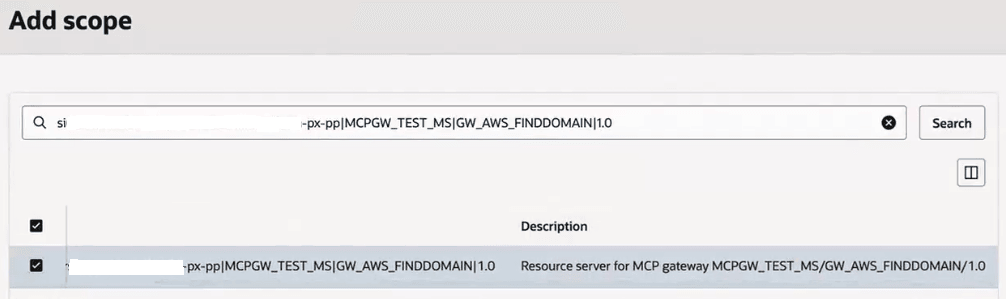
- Copy the two gateway-specific scopes that were created.
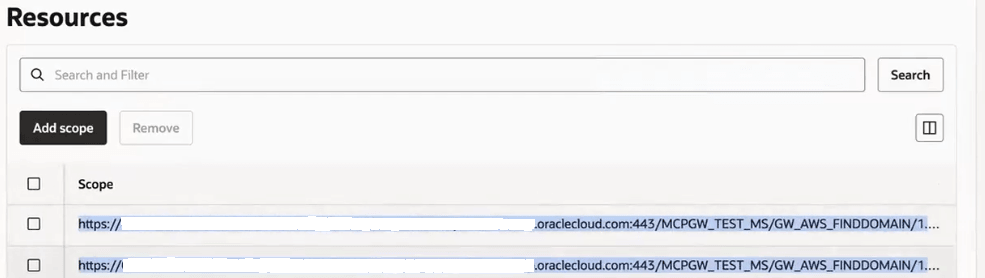
For this example:
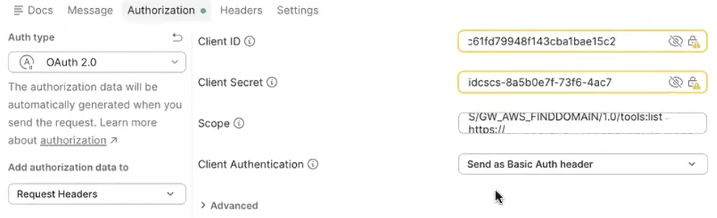
https://OIC_instance_name.oraclecloud.com:443/MCPGW_TEST_MS/GW_AWS_FINDDOMAIN/1.0/tools:list https://OIC_instance_name.oraclecloud.com:443/MCPGW_TEST_MS/GW_AWS_FINDDOMAIN/1.0/tools:call - When connecting to the MCP gateway (for this example, in Postman), you specify the client ID and client secret for the confidential application, along with the two copied scopes.