Monitor Your MCP Gateway
Learn how to monitor MCP Gateway executions in Oracle Integration. You can view details for MCP Gateway instances and activity stream, including MCP gateway, MCP server, tool, status, timings, error context, and safe payload metadata.
Prerequisites
- Activate an MCP gateway and select the required tracing level:
- Production: Logs MCP gateway activity without capturing request or response payloads. Activity data is retained for 32 days. This selection is recommended for production environments.
- Audit: Captures request and response payloads for troubleshooting. Activity data, including payloads, is retained for eight days. This selection is not recommended for production because payloads may contain sensitive data.
For details, see Activate an MCP Gateway.
- Run the MCP gateway. See Run the MCP Gateway.
Instructions
- Click the filter icon
 . In the resulting dialog, filter your search with the following criteria and click Apply.
- Sort by: Last updated time.
- Time window: Enter a date range or select a time window.
- Instance ID: Enter the instance id for the MCP gateway you want to monitor.
- Status: Select the status.
MCP Gateway instance status Description In Progress
The MCP gateway instance is currently running.
Errored
The MCP gateway instance was unable to complete the task due to an error condition.
Policy Denied
The MCP gateway instance was unable to send the request to the MCP server as the enforced policy condition was not met.
For the Policy Denied status, the MCP server and Tool columns are blank as the request cannot be sent.
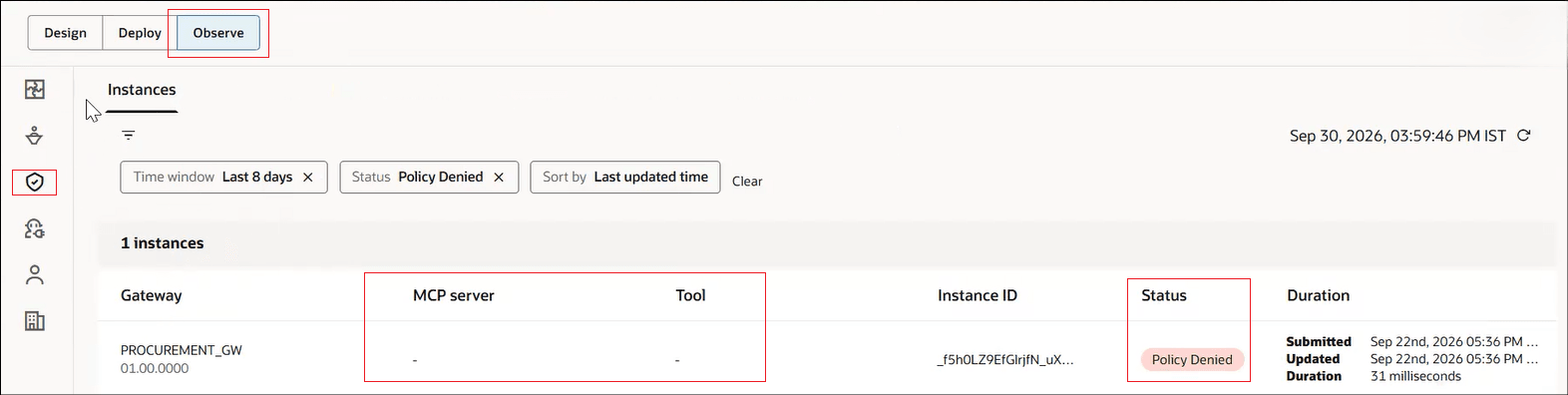
Succeeded
The MCP gateway instance completed all of its tasks successfully and has finished running.
- Point to the MCP gateway instance and click View details
 .
.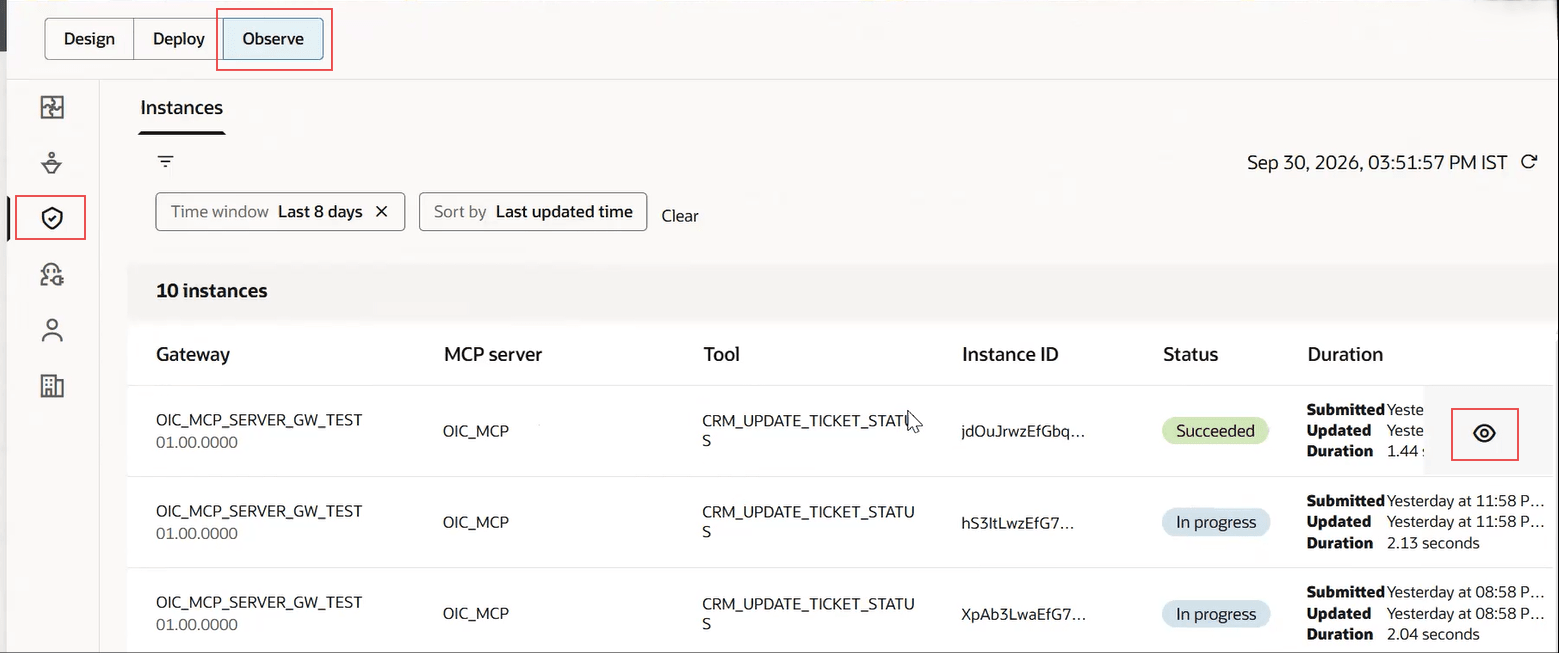
The Activity stream panel opens.
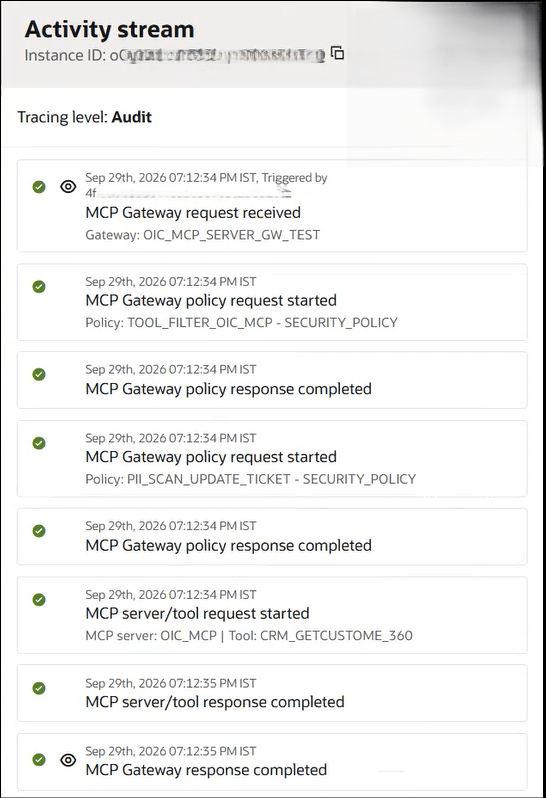
- Review the activity stream for the MCP gateway instance.For Tracing level: Audit
- Activities that are triggered and ran successfully have a green check mark.
- Activities that are triggered and did not run successfully due to errors have a red icon. For specific error details. click View details . The Error details and Payload tabs display the relevant details.
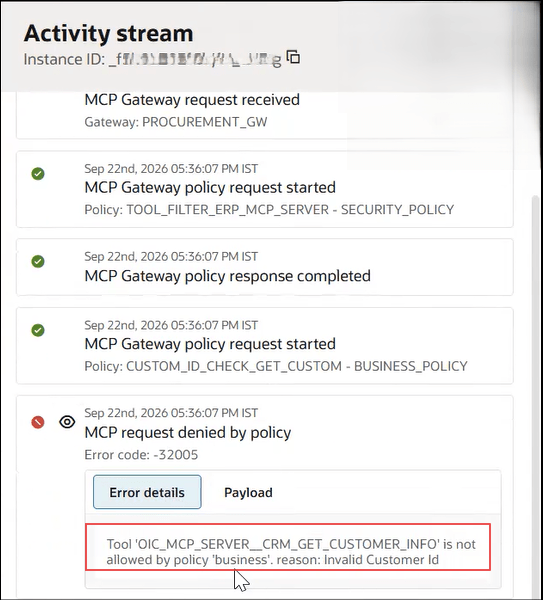
- The request payload and header details are displayed when you click View details .
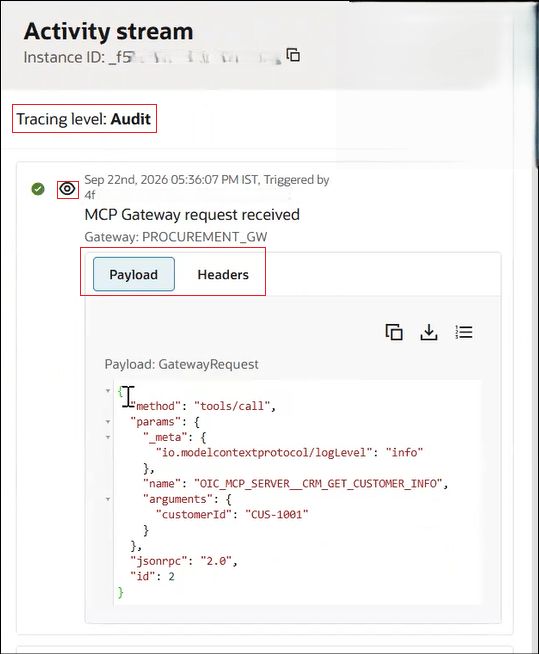
- The response payload details are displayed when you click View details .
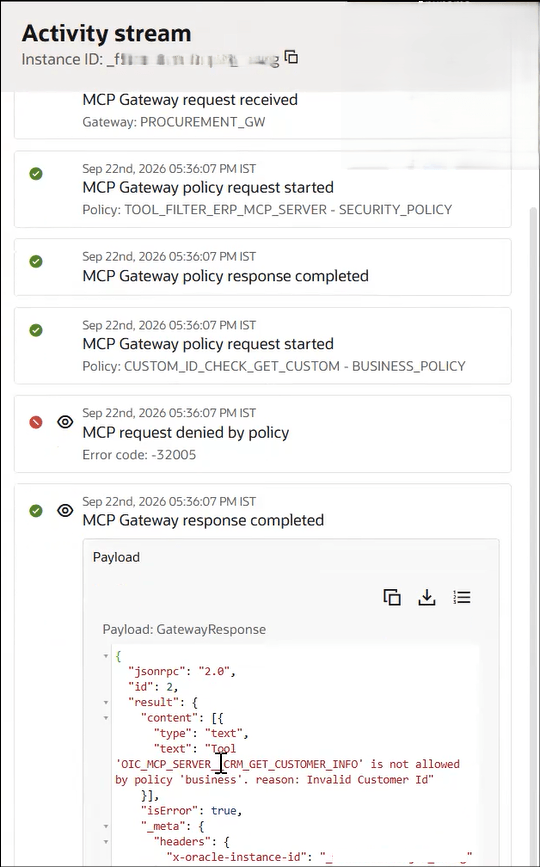
For Tracing level: Production- Activities that are triggered and ran successfully have a green check mark.
- Activities that are triggered and did not run successfully due to errors have a red icon. For specific error details. click View details .