Search the Knowledge Base with an AI Agent
When you create a knowledge base, the AI agent KnowledgeExpertAgent is also created with optimized instructions for knowledge bases, an optimized agentic AI pattern for knowledge bases KnowledgeExpertReactPattern, and a knowledge base tool KnowledgeBaseSearchTool, with optimized description and guidelines for knowledge bases. The tool is based on the integration KnowledgeBaseSearch.
- In the navigation pane, select Projects.
- Select the project that contains your knowledge base.
- In the left navigation pane, select AI Agents
 .
. - Run the agent.
- In the Agents section, find the AI agent to run: KnowledgeExpertAgent.
- Click Actions
 , and select Run.
- Specify a knowledge base query.
- In the Test Agent page, enter your knowledge base query and click Send prompt to agent
 .
. The AI agent starts running and querying the knowledge base, then provides the answer.
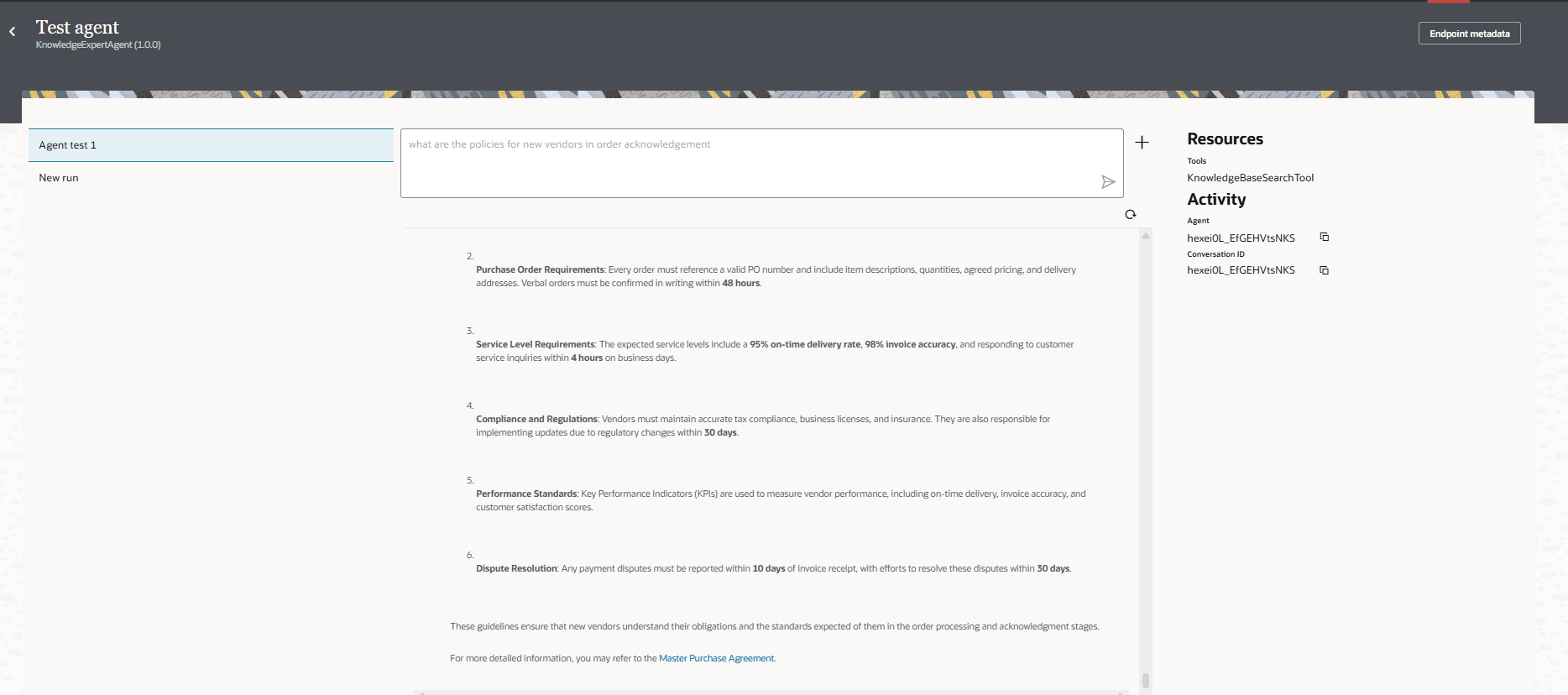
- In the Test Agent page, enter your knowledge base query and click Send prompt to agent
- Look at the agent run to see the integrations that ran and find any errors.
- From the Test Agent page, click Back
 to return to the AI Agents page.
- From the Test Agent page, click Back