Handle Warnings and Errors During Graph Creation
The property graph wizard runs a series of validations when you create a property graph in the Summary step of the property graph wizard workflow. The generated errors and warnings may vary depending on the graph type.
The following shows a sample report of errors and warning that were generated during a SQL property graph creation:
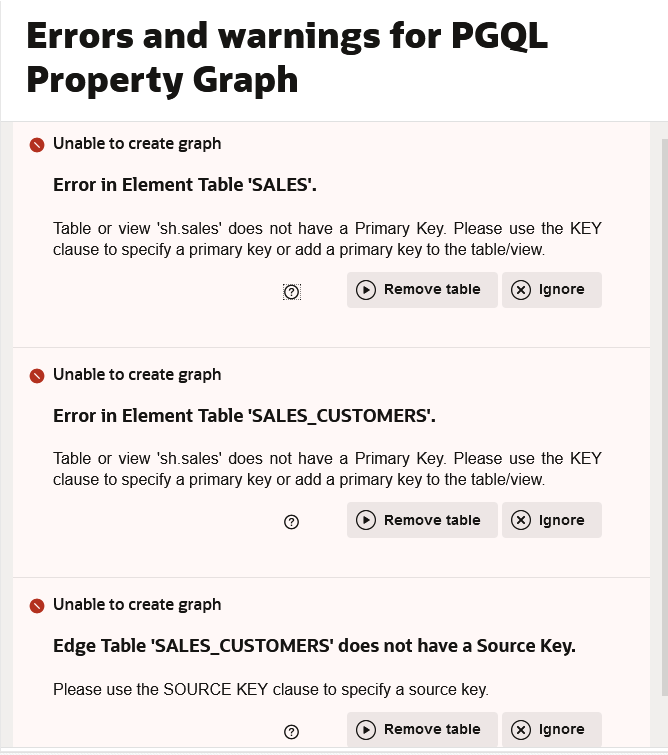
Description of the illustration errors_warnings.png
Also, note the following:
- Errors: Errors appear at the beginning in the Errors and Warnings slider. You need to resolve the errors in order to create a graph.
- Warnings: Warnings are reported following the errors. Graph Studio allows you to create a graph despite the warnings, but the graph cannot be loaded into memory. See Warnings During Property Graph Creation for more information on the warnings details when creating a property graph.
You can choose one of the following actions provided on the error or warning message:
- Remove Column: Removes the column from the vertex or edge table and the graph definition is updated and re-validated.
- Remove Table: Removes the vertex or edge table and the graph definition is updated and re-validated.
- Ignore: Dismisses the error or warning message.
- Ignoring a warning allows you to continue creating a graph. After creation, if you select this graph on the Graphs page, a warning symbol appears next to its name. See Show Warnings in Manage Property Graphs for more information.
- Ignoring an error does not allow you to proceed with the graph creation.
- Fix All: Removes all the tables and columns that cause errors or warnings and the graph definition is updated and re-validated.
- Close: Closes the Errors and Warnings slider.