Create a Wind Animation Dataset
You can create a wind animation dataset which can be used for visualizing wind speeds and dynamic flow on a map.
As a prerequisite for creating a wind animation dataset, ensure that:
-
The base wind image is generated. See Generate a Base Wind Image From a NOAA Dataset for an example.
-
The generated base wind image is loaded as a GeoRaster to Oracle Database. See Use the GeoRaster Dataset Creation Wizard for more information.
Perform the following steps to create a wind animation dataset:
-
Navigate to the Datasets page.
-
Click Create Dataset.
The Create Dataset window opens.
-
Click Database table/view, select a Connection and click Create.
-
Click GeoRasters, select the GeoRaster table containing the base image, and click OK.
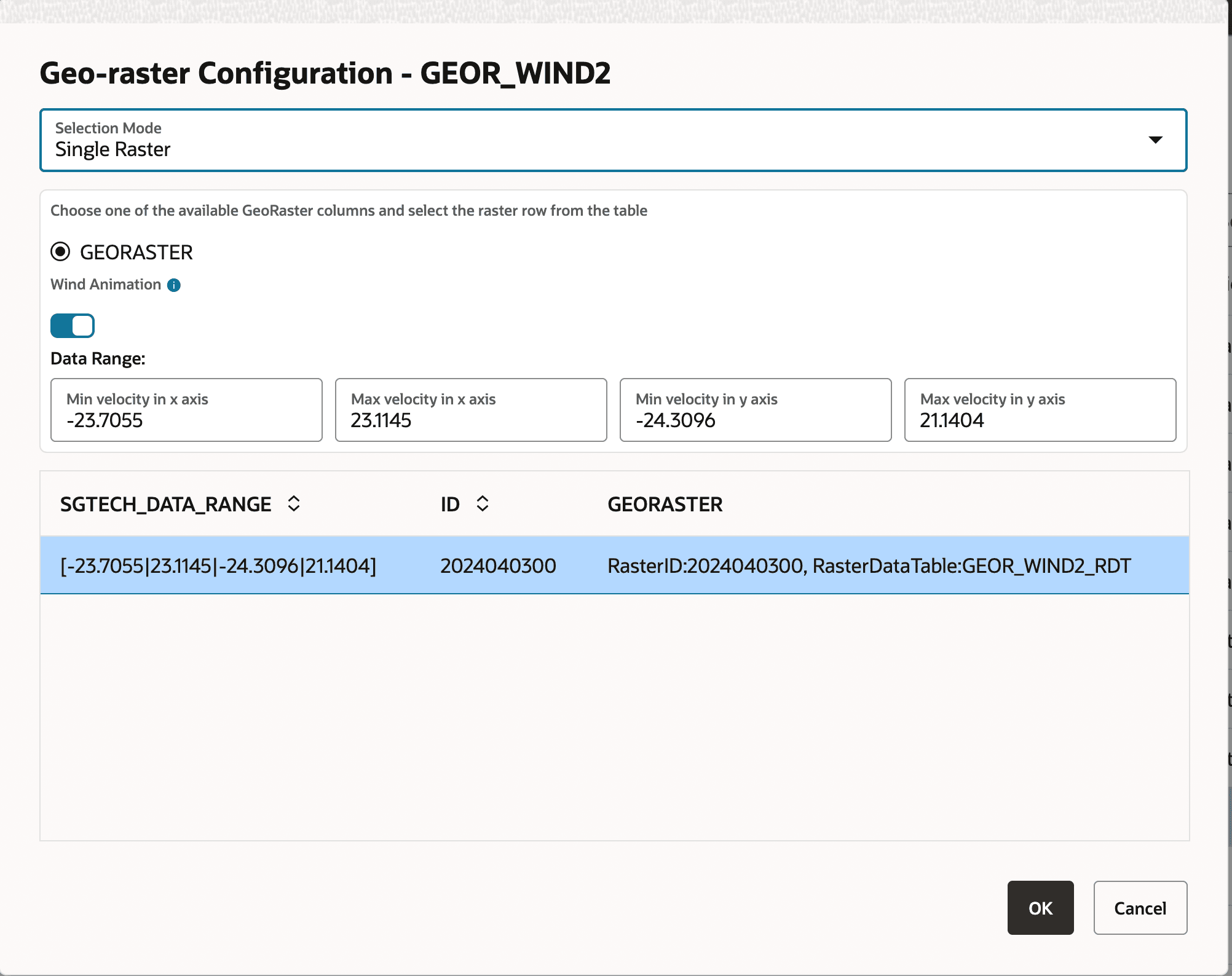
The Geo-raster Configuration dialog opens as shown:
-
Set the Selection Mode to Single Raster.
-
Switch ON the Wind Animation toggle.
-
Enter the following Data Range values: Min velocity in x axis, Max velocity in x axis, Min velocity in y axis and Max velocity in y axis.
Note the following:
-
These values are obtained at the time of generating the base wind image. See Generate a Base Wind Image From a NOAA Dataset for an example.
-
These values need to be set only the first time you create a wind animation dataset from this GeoRaster table. Once saved, these parameters will be stored in the GeoRaster table. Hence, the future datasets will not require manual input of the Data Range values, unless you choose to update them.
-
-
Click OK.
The wind animation dataset gets created and is displayed on the Datasets page.
Related Topics