Prepare for AI Labeling
Learn the prerequisite tasks required for creating an AI Labeling project.
-
Ensure that you have geospatial raster chips available for labeling on the Datasets page in Spatial Studio.
GeoRaster datasets containing imagery can be created from one of the following options:
-
Oracle Spatial GeoRaster Database:
-
Oracle Cloud Infrastructure (OCI) Object Storage: Create a Dataset Using a Pre-Authenticated Request URL
-
-
Define labels in Spatial Studio.
-
Navigate to the AI Labeling page.
-
Click Define Labels.
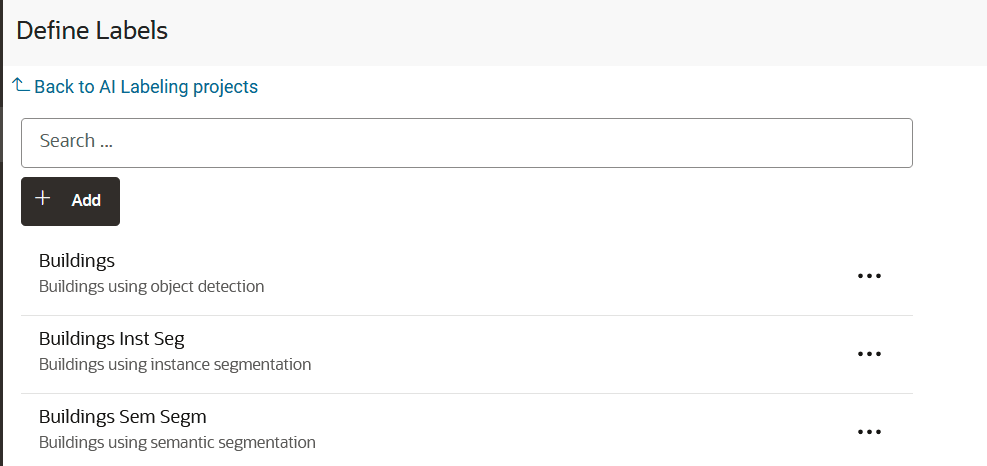
The Define Labels page opens where you can view the existing labels or add a new label. For example:
-
Click Add to create a label definition.
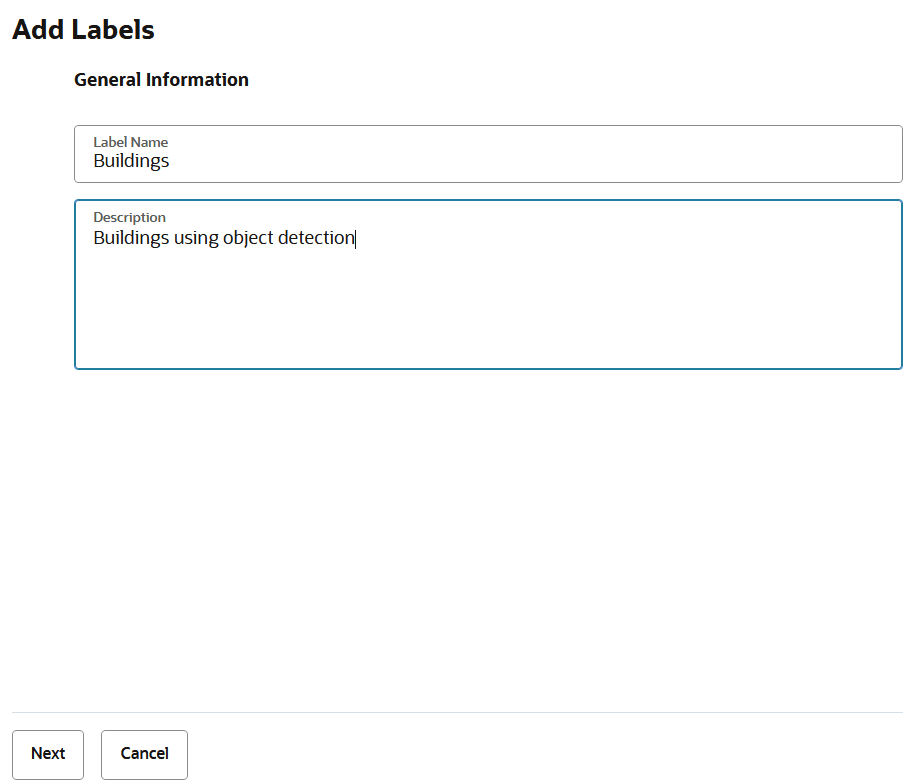
The Add Labels slider opens as shown:
-
Enter the Label Name, Description, and click Next.
-
Select a Labeling task type from the drop-down and define the labels.
The supported AI Labeling task values are as shown:
-
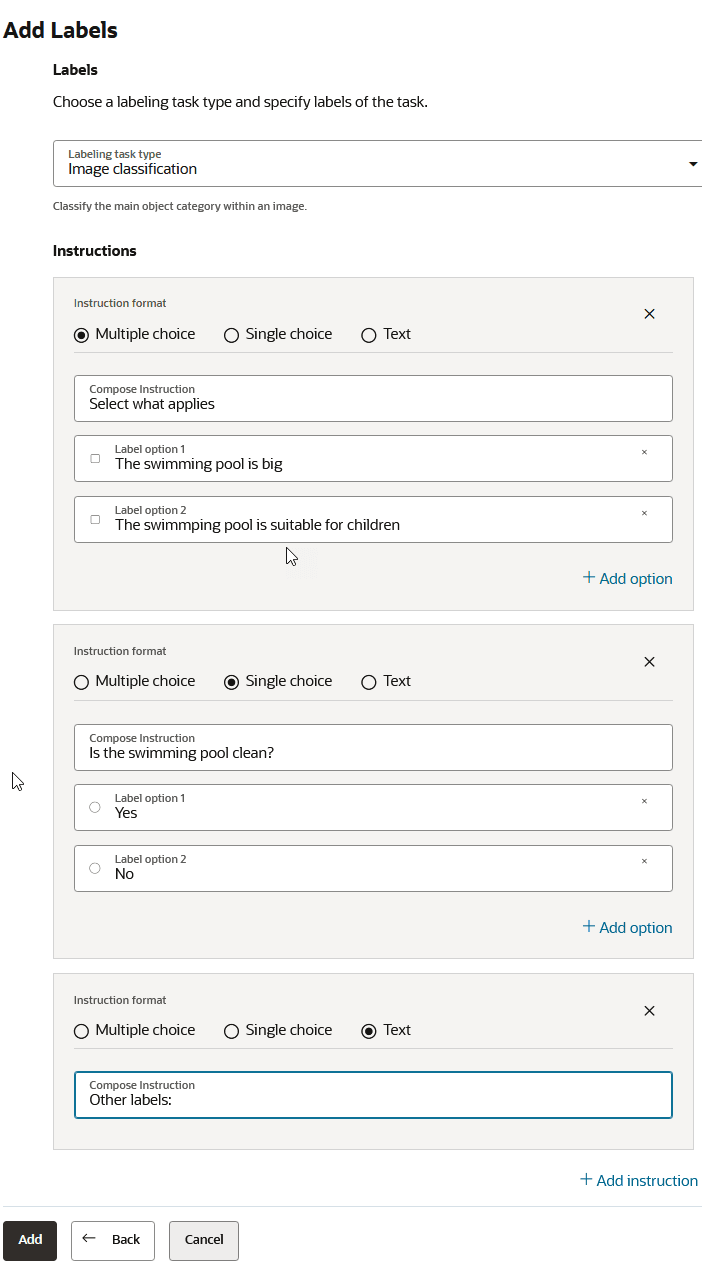
Image Classification: Add one or more instructions as required. For example:
Description of the illustration image_classification.png
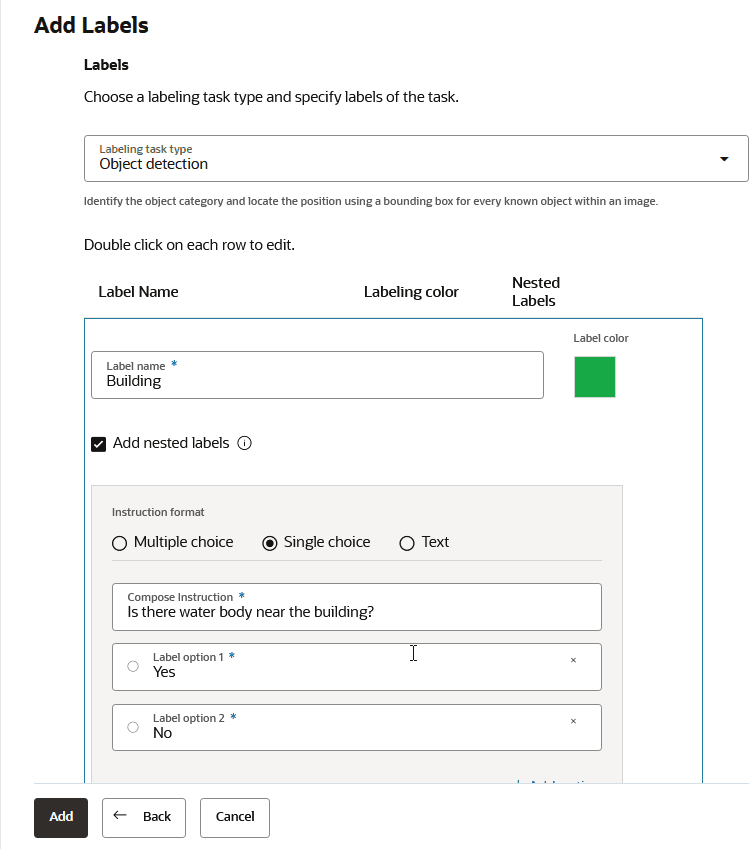
- Object Detection: Enter a Label Name and Label color. Optionally, add nested labels. For example:
Description of the illustration object_detection.png
- Semantic Segmentation: Enter a Label Name and Labeling color. For example:
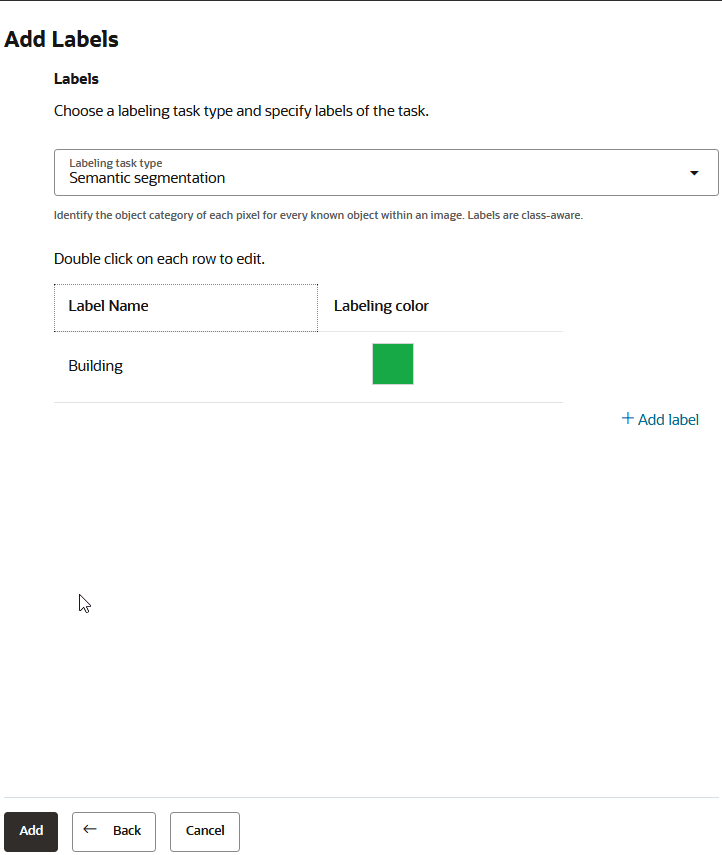
Description of the illustration semantic_segmentation.png
- Instance Segmentation: Enter a Label Name and Labeling color. Optionally, add nested labels. For example:
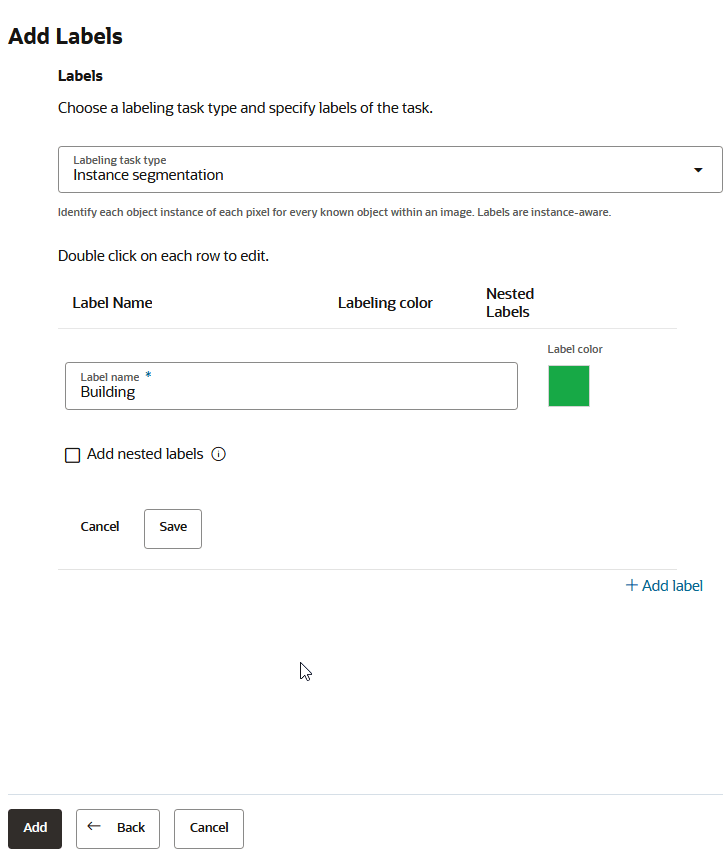
-
-
Click Add.
The label gets added and listed on the Define Labels page.
-