Define a Complex Data Type
If the built-in data types aren’t suitable for an input variable in your decision model, you can create a complex data type. A complex data type is a composite of built-in data types or other complex data types.
- In the Input Data pane, click Add new item definition
 to open the Add Data Type dialog box.
- Enter a suitable name for the new data type definition.
-
To identify the data type as a list, click This is a List
 .
.
-
To use an existing data type for the definition, click Data Types and choose an available type from the Select type drop-down list.
-
To show the additional Constraint option, click the Show Advanced Options link. Click Constraint to restrict the data type definition to enumerated values or ranges.
-
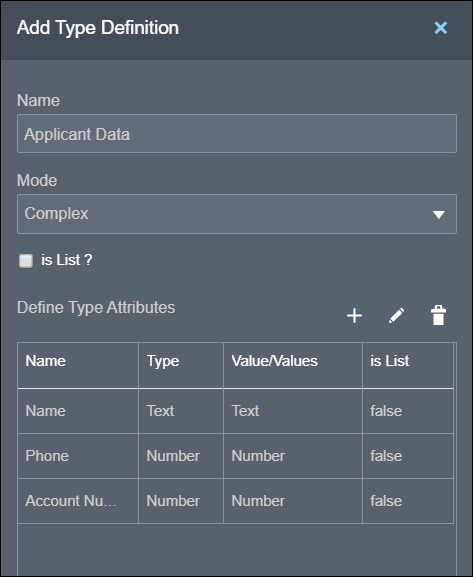
To define a new attribute, click Define Type Attributes
 .
.
Note:
If the Show Advanced Options link is selected, you can define two types of attributes using the Define Type Attributes () button, that is, an attribute of an existing data type or a constraint attribute. Use the Constraint option to define an attribute with enumerated values or ranges.
To identify an attribute as a list, click List
next to the attribute.
Enter a suitable name, and select an existing data type or enter allowed values or a range for the attribute.
To delete an attribute, click Delete
 .
.
-
 .
.