Prepare Data by Creating Indexes and Synonyms

Indexing provides searchable references within a subject area, enabling the Oracle Analytics AI Assistant to efficiently locate the relevant measures and dimensional attributes needed to answer consumer users' natural language questions.

Subject areas remain the source of truth for organizational analysis, yet due to their size and complexity, they can be tedious to index and their expansive nature can complicate focused Oracle Analytics AI Assistant usage.

For subject areas provided by Oracle, indexes and synonyms may already be defined. If you want to extend these or create your own, perform these steps.

  1. On the Oracle Analytics Cloud home page associated with your Oracle Fusion Data Intelligence instance, click the Navigation menu and select Console.
  2. Select the Search Index tile.
  3. Click Enable Data Model Crawl.
  4. Type a name in the User to Run Crawl As field.
  5. Set the Schedule Start Date and Time and Frequency.
  6. In the Select Data Models to Index panel, select or deselect specific subject areas, folders in those subject areas, and then individual columns in those folders. Select the checkbox for those you want to include.
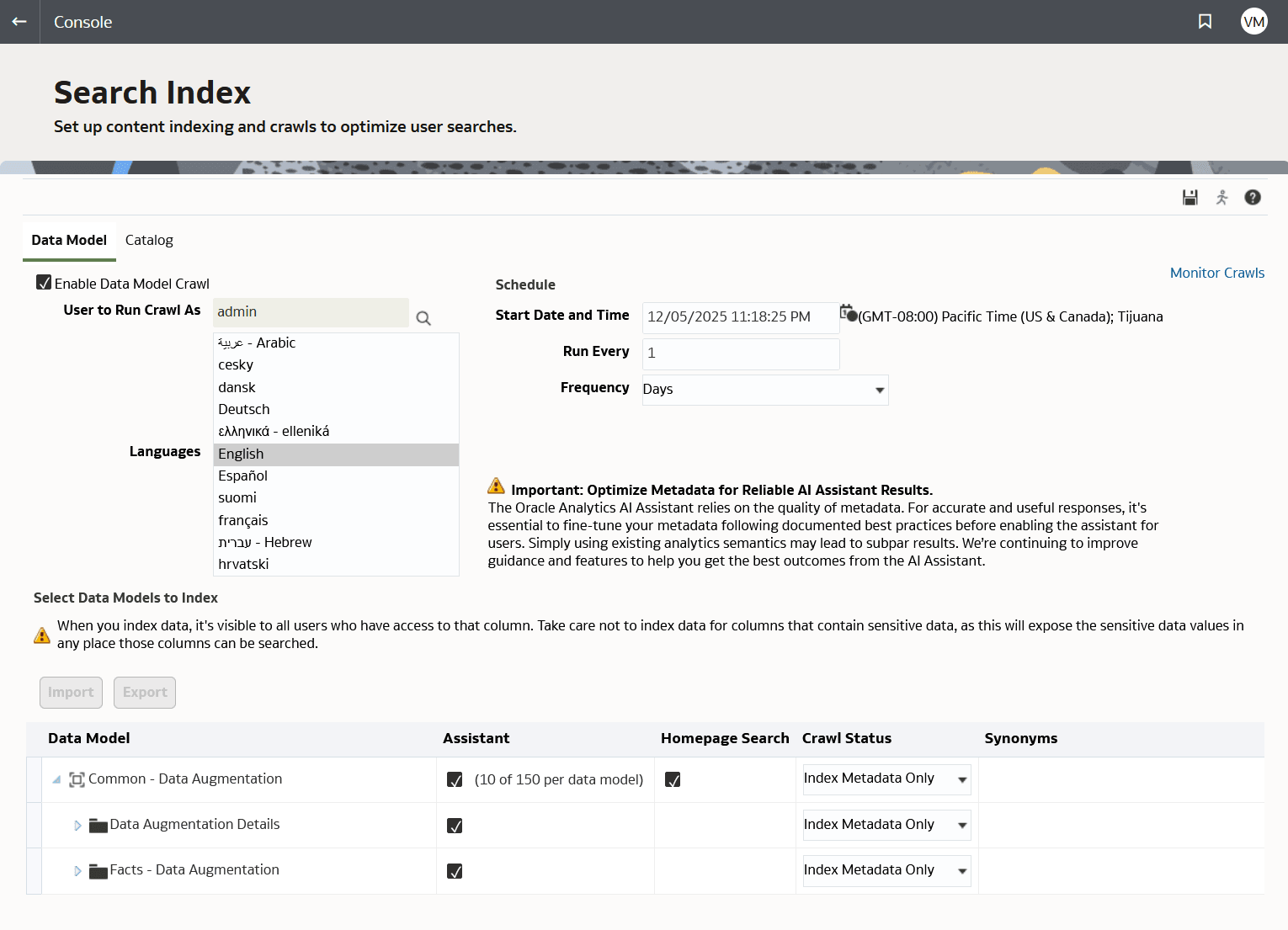
  7. Define the Crawl Status for these objects. You can select Index or Index Metadata Only.
    While Index Metadata Only leaves out the data, the Index selection includes both metadata (dimension names and measure names) and data values. Indexing data improves results but adds data volume. When you index data, it's visible to all users who have access to that column. Take care not to index data for columns that contain sensitive data.
  8. You can add other Synonyms as needed to the column level. For example, your users might refer to a column for Headcount also as Employee Count, Employees, Workforce Size, Person Count, etc. Adding familiar synonyms improves results. You can add up to 20 synonyms per attribute.
  9. Click Save.