Capture Data Changes (Preview)
You can know what data changed in the autonomous data warehouse associated with the Fusion Data Intelligence instance during refresh using the Table Change format designed for capturing data changes in the refresh process.
You can use the change information in the downstream integrations. This capability uses the Data Share feature and pushes the changed data information into a data lake such as Oracle Cloud Infrastructure Object Storage Service. The Oracle Object Storage Service Targets connector with type FDI_TABLE_CHANGE_FORMAT allows Fusion Data Intelligence to publish datasets in the Integration Data Format into your Oracle Cloud Infrastructure Object Storage bucket. After publishing the change data to Oracle Object Storage Service, you can read the changes using any standard tools for reading the Object Store files and take downstream actions as needed.
- Each source
- Each table selected to capture changes
- Each change (identified by “System Change Number”)
- Each refresh type
- Full
- Incremental
- Transient_refresh (for FDR V2)
- These actions
- Insert
- Update
- Delete
- Refresh completion
- Schema
- Markers for latest change and last full refresh
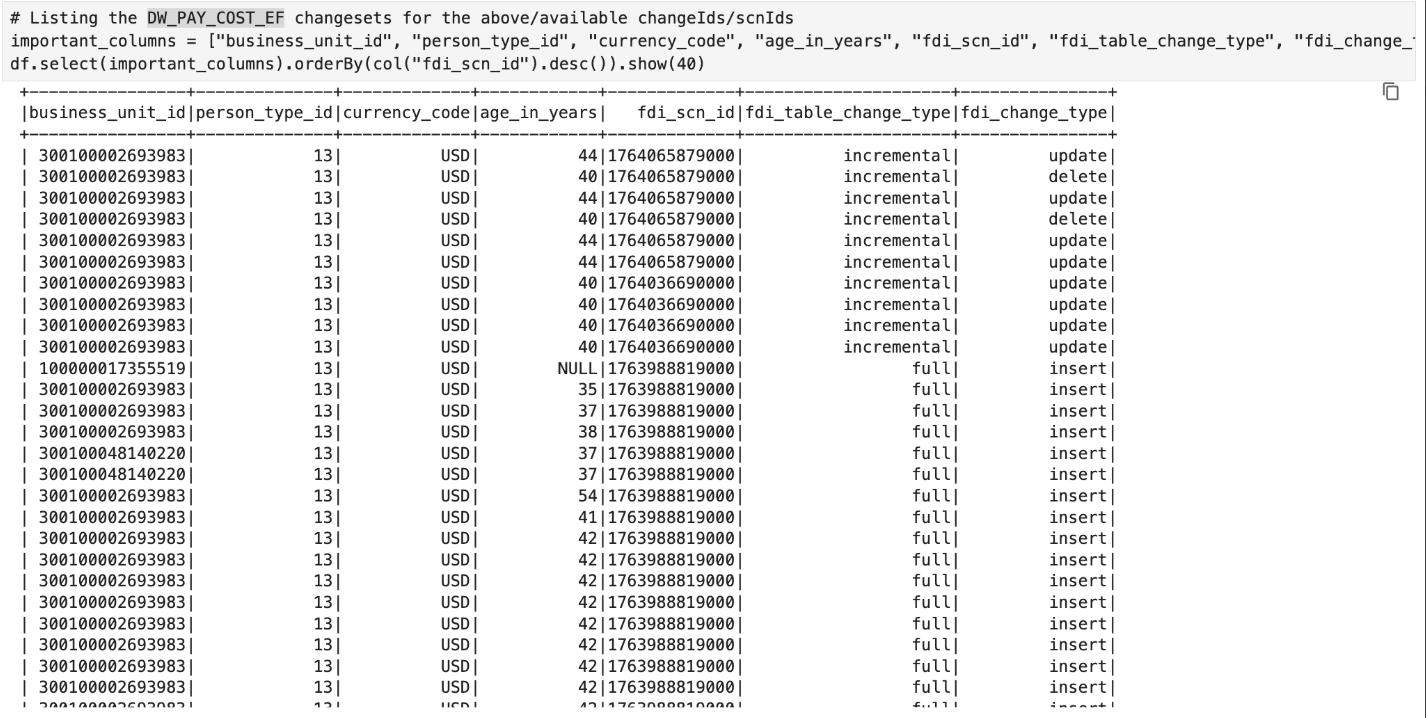
Sample Changed Data Stored in Object Storage Service
This sample lists the change sets corresponding to the system change numbers (SCN) available for a specific dataset.