Add Custom Attributes to a Ready-to-use Fact
Follow these steps to customize an existing ready-to-use fact with additional attributes.
Consider a scenario for customization of GL Journals Fact (W_GL_OTHER_F) to expose Journal Source and Journal Category attributes from Oracle E-Business Suite General Ledger. This enables business users to analyze journal activity by origin and classification, supporting month-end close, reconciliation, audit, and management reporting. It is one of the most frequently used extensions because source and category are fundamental to understanding the nature of journal entries in General Ledger. Also a custom metric column is created which gives the metrics for the manual journals which will help the business users to understand the manual journal volume.
Consider a scenario for customization of GL Journals Fact(W_GL_OTHER_FS,W_GL_OTHER_F) so that the Finance team can analyze journal activity by Journal Batch to support operational reporting, reconciliation, and audit activities. The batch level attributes are loaded into the warehouse and exposed through the semantic model, enabling users to perform batch-level analysis without writing custom SQL.
- In Oracle Fusion Data Intelligence Administration Console, click Data Configuration.
- On the Data Configuration page, select E-Business Suite in Data Source and click Data Applications.
- On the Data Applications page, click Create and select DA Scripts.
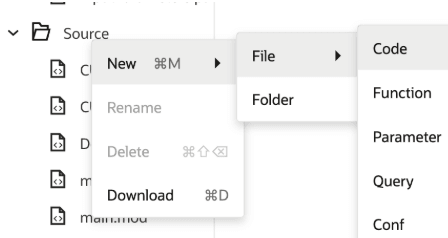
- On the DA Scripts page, under Source, click New, click File, select Code to create a code file.
- Specify the name as <Ready-to-use Mapping Name> for example, SDE_ORA_GLOtherfact and copy the code from the ready-to-use EBS_COMMON application and paste it in the hrf.
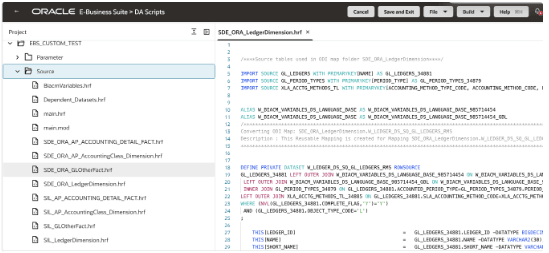
- The ready-to-use mapping doesn't include the required
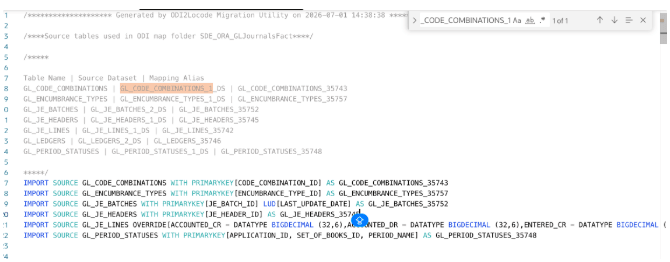
IMPORT SOURCEstatements as it is handled together in the IMPORTSOURCE hrf file in the respective ready-to-use applications. Review the source table aliases used in the mapping and add the correspondingIMPORT SOURCEentries. To add theIMPORT SOURCEentries, refer to the dataset name as follows and get the correspondingIMPORT SOURCEentries from the ready-to-use applications.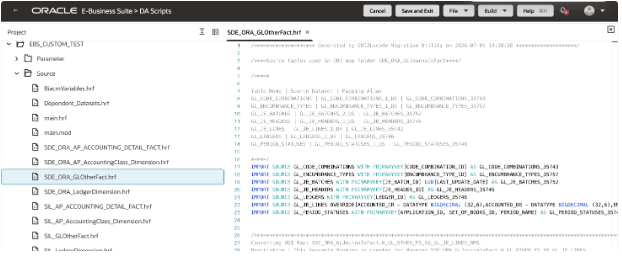
GL_JE_BATCHES | GL_JE_BATCHES_2_DS | GL_JE_BATCHES_35752 GL_JE_HEADERS | GL_JE_HEADERS_1_DS | GL_JE_HEADERS_35745
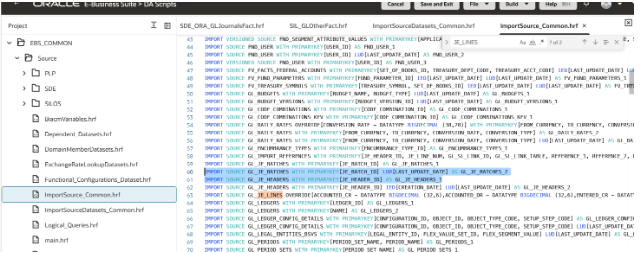
- Review the added IMPORT SOURCE entries in the hrf.
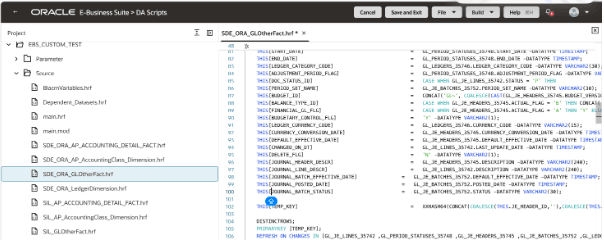
- Add the customizations as required. This use case adds new custom columns to bring the journal batch related details from the Oracle E-Business Suite source.
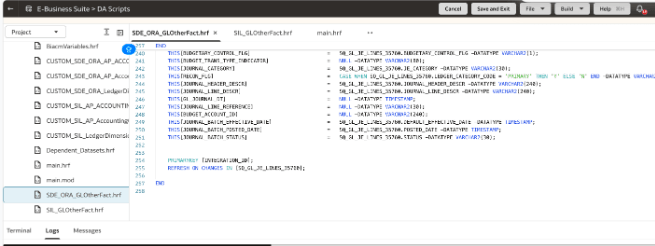
- Create custom mapping for SIL_GLOtherFact. On the DA Scripts page, under Source, click New, click File, select Code to create a code file.
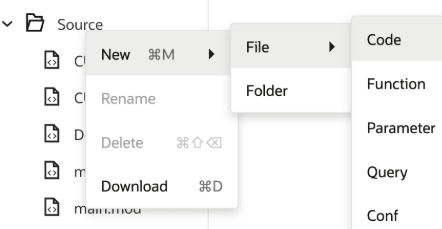
- Specify the name as <Ready-to-use Mapping Name>, for example, SIL_GLOtherfact and copy the code from the ready-to-use EBS_COMMON application and paste it in the hrf.
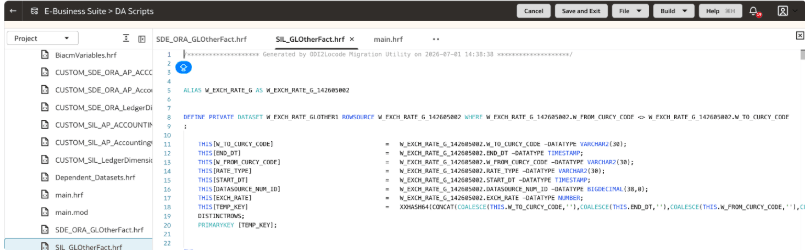
- Add the customizations as needed. Add these custom columns to the ready-to-use fact W_GL_OTHER_F to get the relevant details:
- GL_JOURNAL_SOURCE - For getting journal source information,this column is already present in staging table we are bringing those details to the fact.
- JOURNAL_BATCH_EFFECTIVE_DATE - New custom column for batch related details.
- JOURNAL_BATCH_POSTED_DATE - New custom column for batch related details.
- JOURNAL_BATCH_STATUS - New custom column for batch related details.
- MANUAL_JOURNAL_AMOUNT - New custom column for getting metrics for the Manual journals
Note:
Ensure that the custom fact contains only the key columns and the customized columns. - In
main.hrf, add the custom hrf files created.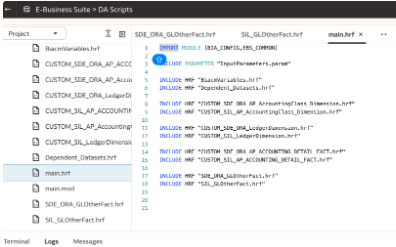
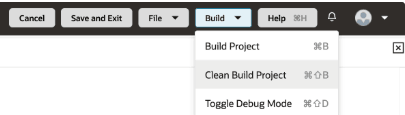
- Build the DA Script application and resolve build errors if there are any.
- Deploy the custom application and validate the data.