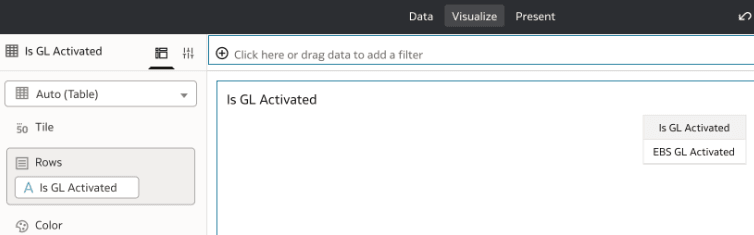
Create a Session Variable
Follow these steps to create a session variable.
- Sign into to Oracle Fusion Data Intelligence.
- Navigate to Semantic Model Extensions and click User Extensions.
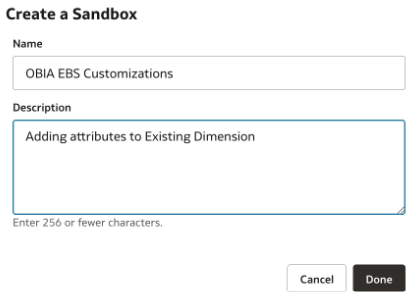
- Click Create Sandbox, enter the sandbox details, and click Done.
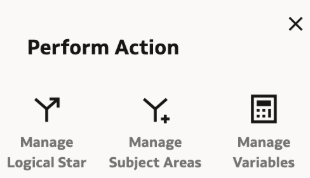
- Select Manage Variables in the Perform Action dialog.
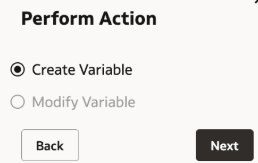
- Select Create Variable.
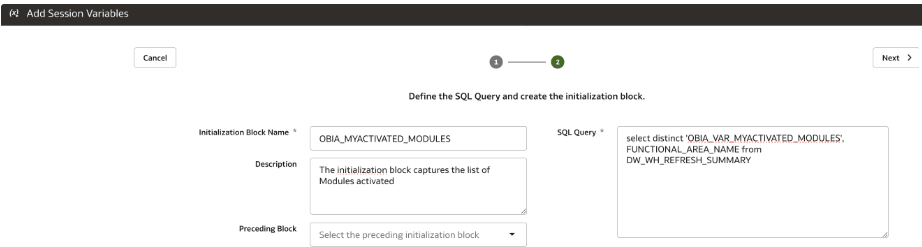
- In step 2 of the wizard, provide name for the initialization block and the query to be used as part of initialization block. If you want the initialization block to be executed after any other, then select the same initialization block in Preceding Block.
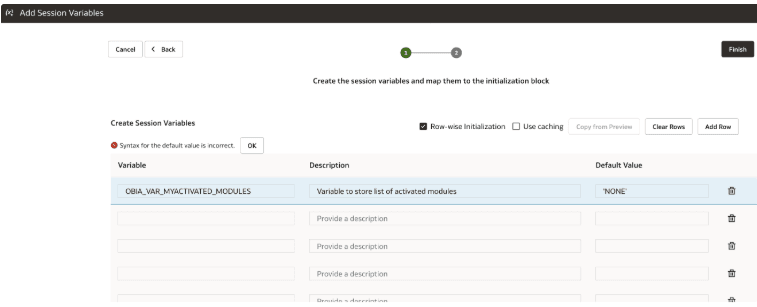
- Provide the variable name to hold the information returned by the initialization block. Since the initialization block returns list, you must define Row-Wise Initialization Variable.
- For the sandbox, click on 3 dots and select Apply Changes.
- Validate and Publish the sandbox
- Sign into Oracle Analytics Cloud and start using the variable wherever it is needed. In this example, create a calculated measure to indicate if EBS GL module is activated.
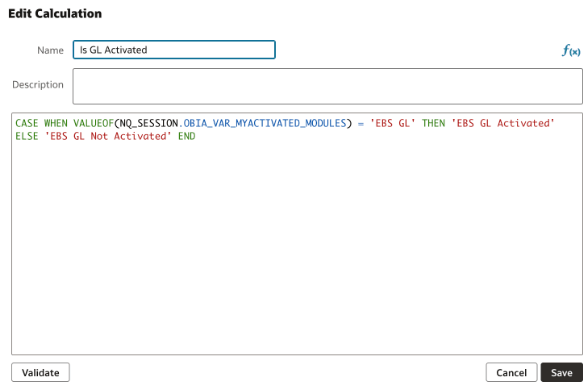
Since the module is activated and the system retrieves the variable value from the initialization block, the same is reflected in the Oracle Analytics Cloud visualization.