Using a Wait Job Type
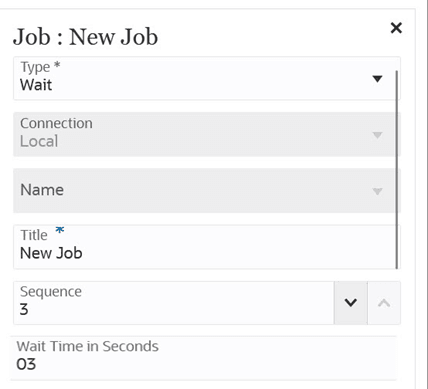
Use a controlled delay within a pipeline job. When multiple bursts are executed simultaneously, they can create a backlog during post-processing. To mitigate this, you can add a timed wait step (up to 300 seconds) within the job that pauses execution for a specified duration before resuming, thereby smoothing workload distribution and preventing processing bottlenecks.
Note:
For parameters that are common to all job types, see Pipeline Process DescriptionTable 12-39 Table Wait Job Type Parameters
| Wait Job Type Parameters | Description |
|---|---|
| Title | Provide a title for the job. |
| Sequence | Specify a number to define the chronological order in which a stage is executed. |
| Wait Time in seconds | Specify the wait duration (in seconds). Maximum wait is 300 seconds. |
Here's a sample job parameter for Wait job type: